
Make a basketball shot chart from your own attempts
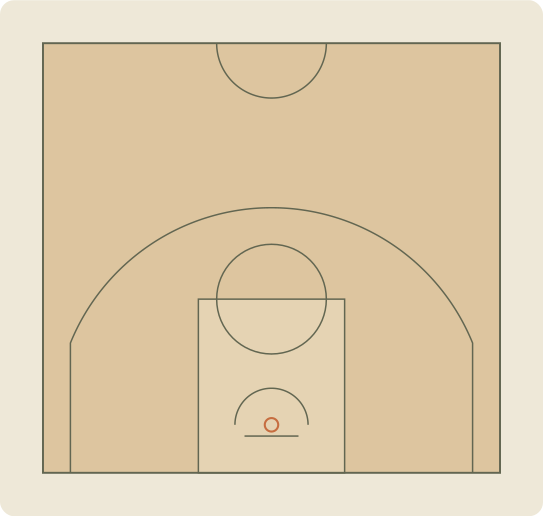
Choose the court reference before starting. Select Made or Missed, then tap the spot where the shot was taken. A filled circle records a make; a cross records a miss. Keep tapping for attempts with the same result, or change the result button when needed. For keyboard entry, open Add by position or focus the court and use arrow keys, followed by Enter.
Read field-goal percentage in context
Field-goal percentage is made shots divided by recorded attempts, multiplied by 100. For example, 6 makes from 10 attempts is 60%. The tool also separates two-point and three-point attempts and groups locations into six broad areas. Those groups are planning categories, not official league tracking zones. A chart containing only selected highlights cannot describe the accuracy of a full game or practice.
Correct the chart before comparing sessions
Drag an entry to correct its position, change its result in the recent-shot log or remove an accidental tap. Undo restores the last edit. The two-point or three-point estimate uses the selected reference court and the point you enter; a tap on the line is treated as two points. These are manual locations, not calibrated measurements from a camera. Changing court references scales existing points and recalculates their classification.
Keep a shooting record you can use again
Export CSV for the complete attempt log, including result, court reference, zone and coordinates in metres. Download PNG for a visual practice recap, or SVG to keep an editable graphic. Only the most recent 12 entries appear in the on-page log, while statistics and exports include every recorded attempt, up to 500 per session. Your current session saves in this browser when storage is available.
Connect practice notes with your basketball footage
If you film practice, use a separate clip log to record where the selected attempts appear in the source video. This browser tool does not detect shots, create clips or add a trajectory. Hoopcut on iPhone provides basketball auto clipping and Shot Tracer. Keep every attempt in your shooting record even when your highlight reel contains only the plays you choose to share.
NBA and FIBA court references.
| Reference | Full court | Three-point arc |
|---|---|---|
| NBA | 94 × 50 ft | 23 ft 9 in; 22 ft at corners |
| FIBA | 28 × 15 m | 6.75 m arc |
The selected reference changes the drawing. Diagram line thickness and minor markings are simplified. See the governing-body sources for exact measurement conventions.
A few things to know.
How is shooting percentage calculated?
Field-goal percentage equals makes divided by attempts times 100. With no attempts, the chart shows a dash. Two-point, three-point and zone results use their own attempt counts.
Does the shot chart automatically analyse video?
No. You enter makes, misses and positions manually. This free browser tool is separate from Hoopcut’s iPhone auto clipping and Shot Tracer features.
Are the demo shots real player results?
No. The optional demo session is fictional. Demo entries are labelled in the page and exports. Clear them before recording your own shooting session.
Are my shots uploaded?
The tool saves the current draft in your browser and creates downloads on your device. There is no account or cloud shot database. The title and individual shot coordinates are not included in tool-usage analytics events.
Can I correct or undo an attempt?
Yes. Drag a shot marker to move it, toggle Made or Missed in the recent-shot log, remove an entry or use Undo. CSV includes all attempts, including entries older than the recent on-page log.
Can I use it on my phone?
Yes. Tap the court after choosing Made or Missed. The chart and controls adapt to a small screen. Avoid confusing an estimated tap location with a measured shooting distance.