
STEP 01
Identify the original
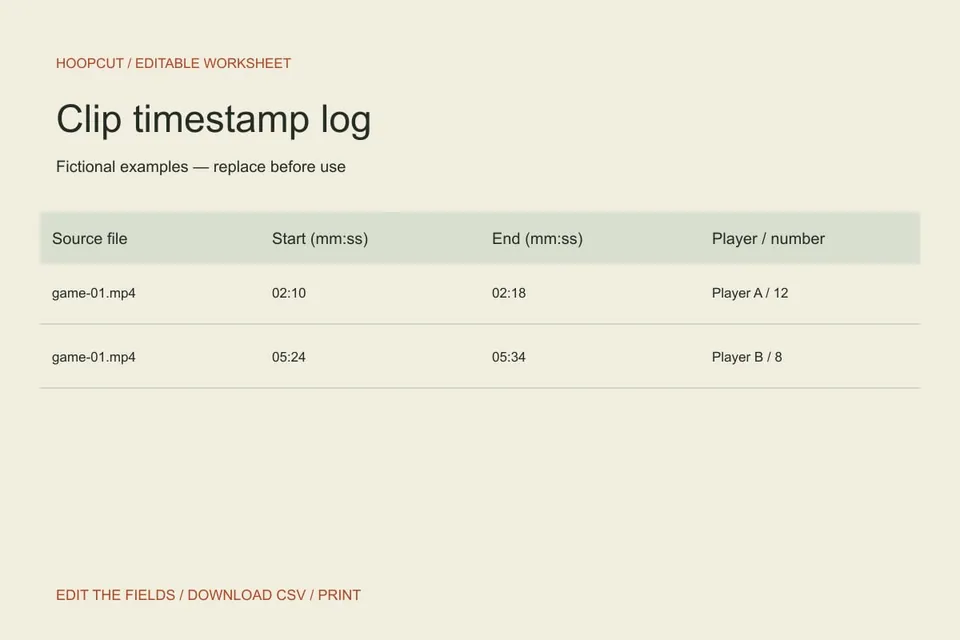
Enter the exact source filename before the timestamp. If you rename a file, update the log too. A note that says only “third quarter” is difficult for a second editor to locate.
STEP 02
Check the recording timestamps
Enter mm:ss or h:mm:ss, optionally with up to three decimal places in seconds. For example, 02:10.500 to 02:18.250 is 7.75 seconds; 1:02:10 to 1:02:18 is eight seconds. The end must be later than the start. Red timing notes identify incomplete or invalid rows. Completely empty rows do not count. Reopen the source to check the action: valid numbers alone cannot confirm the right player or a complete possession.
STEP 03
Read the total, then plan the actual edit
The total sums the durations of valid rows. Overlapping ranges and repeated entries count separately because each row represents a proposed clip; the calculator does not merge them. The estimate excludes titles, transitions and any changes you make later in an editor. Move verified plays into the storyboard. Export a draft CSV to keep unfinished rows and their timing notes, or print a review copy.
Read the example
The fictional rows contain eight and ten seconds, for a valid-row total of 18 seconds. Change the first end time to 02:09 and that row is flagged; only the remaining ten seconds count. The first row stays in your draft CSV with a timing note. Correct it to 02:18 to restore the 18-second total. These are planning examples, not measured app results.
ILLUSTRATED WALKTHROUGH · 9 SECONDS
Clip timestamp log
Read the walkthrough transcript
- Name the source file
- Mark start and end times
- Download the clip log
Practical questions
Does this tool cut or inspect my video?
No. It calculates durations from your entries and keeps notes in the current browser page. It does not open footage, verify player identity or create clips. Use a video editor or Hoopcut’s basketball auto clipping for the actual footage.
What timestamp formats work?
Use mm:ss, mm:ss.sss or h:mm:ss.sss with up to three decimal places. For example, 90:00 and 1:30:00 both mean 90 minutes of recording time. Seconds and the middle hour-format field must be 00 to 59. These are elapsed timestamps, not a game clock or a frames timecode.
Does the total remove overlaps or duplicate clips?
No. Each valid row counts separately. Two 10-second rows total 20 seconds even if they refer to the same footage. The estimate also excludes titles and transitions.
Can I save an unfinished log?
Yes. Download CSV or Print keeps incomplete rows and timing notes. Their durations stay blank and are excluded from the valid total. The original CSV link is the uncalculated starter sheet. Edits do not survive refresh; download a copy before leaving.
What happens if recording was paused?
Give each new file its own name and start the elapsed source timestamp again for that file.
Are these additional Hoopcut app features?
These are free browser planning and design resources. Hoopcut’s app focuses on basketball auto clipping and Shot Tracer. The editor does not upload video or publish to a social account.