
STEP 01
Choose the audience
Write whether the reel is a family update, a team tribute or recruiting support. A short social sequence and a longer review file need different context. Do not begin by filling every available second.
STEP 02
Give each row a job
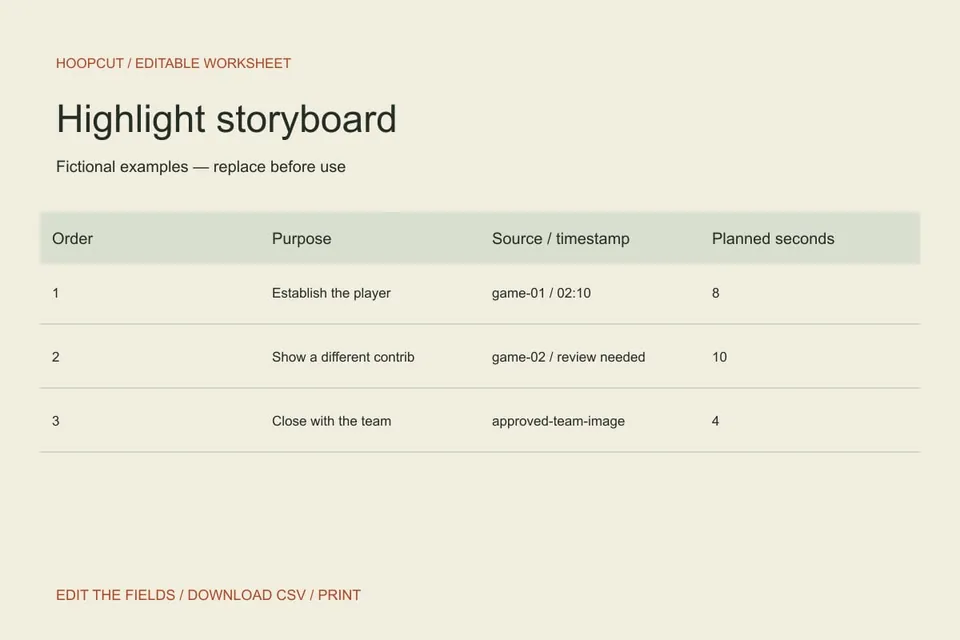
A row should establish identity, show a distinct action or close the story. Two rows with the same job may be redundant even when they come from different games. Mark missing footage honestly.
STEP 03
Test the sequence
Read the rows in order, then watch the rough edit with someone who did not select the clips. Replace a confusing transition or repeated idea before polishing effects. Timing entries are estimates, not platform requirements.
Read the example
The sample changes from player identity to a different contribution, then closes with the team. It is a proposed sequence, not a claim that the source library contains every shot listed.
ILLUSTRATED WALKTHROUGH · 9 SECONDS
Highlight storyboard
Read the walkthrough transcript
- Give each scene a purpose
- Arrange distinct moments
- Check the estimated duration
Practical questions
How long should the finished reel be?
Choose a duration for the audience and retain enough context to understand each play. The sample timings are placeholders, not a universal rule.
Can I turn this CSV directly into a video?
No. The file is an editing plan. You still need source footage and an editing workflow.
Are these additional Hoopcut app features?
These are free browser planning and design resources. Hoopcut’s app focuses on basketball auto clipping and Shot Tracer. The editor does not upload video or publish to a social account.