
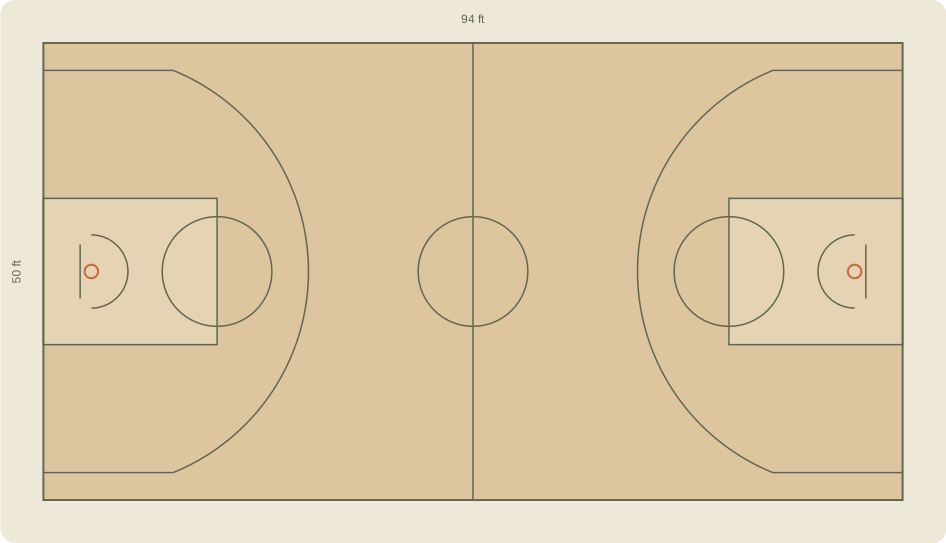
Build a basketball court diagram that works for your plan
Choose the NBA or FIBA reference layout, then switch between a full court and half court. The diagram changes the playing-area proportions, lane and three-point markings with the selected court. Feet and metres change the dimension labels; they do not move your markers. The drawing simplifies minor markings and is intended for planning, not venue construction.
Place the players, ball and movement
Choose Player and tap the court to add a numbered marker. Drag a player to adjust the position. Choose Arrow, then tap its start and end to show a cut or pass. A ball marker can identify who starts with possession. Use Eraser to remove a marker, or Undo to reverse the last edit. Half-court view keeps markers on the other half of the full-court plan, so you can return to the full view later.
Include the person behind the camera
Add a camera marker to discuss where the recording might come from. Treat this as a placement note, not a simulated camera view: the tool does not calculate lens coverage, obstructions or a safe filming area. Check the actual venue, keep equipment outside active play and preserve a view of both the shooter and basket. Our basketball filming guide explains what to check before recording.
Take the plan to practice
Give your plan a short title, then export a PNG for a group chat or an SVG for further editing. The print view removes page navigation and keeps the drawing. Your current draft is saved in this browser when local storage is available. It does not sync between devices; downloaded files are the copy you can keep or share. You can also open the blank reference SVG without running JavaScript.
NBA and FIBA court references.
| Reference | Full court | Three-point arc |
|---|---|---|
| NBA | 94 × 50 ft | 23 ft 9 in; 22 ft at corners |
| FIBA | 28 × 15 m | 6.75 m arc |
The selected reference changes the drawing. Diagram line thickness and minor markings are simplified. See the governing-body sources for exact measurement conventions.
A few things to know.
Is the basketball court diagram free?
Yes. Place markers, change layouts and download your diagram without an account or the Hoopcut app.
Can I print a blank basketball court?
Yes. Clear the markers, choose half court or full court, then use Print or download SVG. There is also a blank reference download below the editor.
Which court measurements are included?
The NBA reference uses a 94 by 50 foot playing area. The FIBA reference uses a 28 by 15 metre playing area. Their three-point lines and lanes differ. This is a simplified reference diagram; consult the linked governing-body rules for a complete specification.
Does the camera marker show what my phone will record?
No. It is a note about a proposed filming position. It does not model camera angle, lens, lighting or venue access.
Will my diagram survive a refresh?
The current draft saves on this device when browser storage is available. Clearing browser data or using a different browser can remove it. Download SVG or PNG to keep a separate copy.