
The quick answer
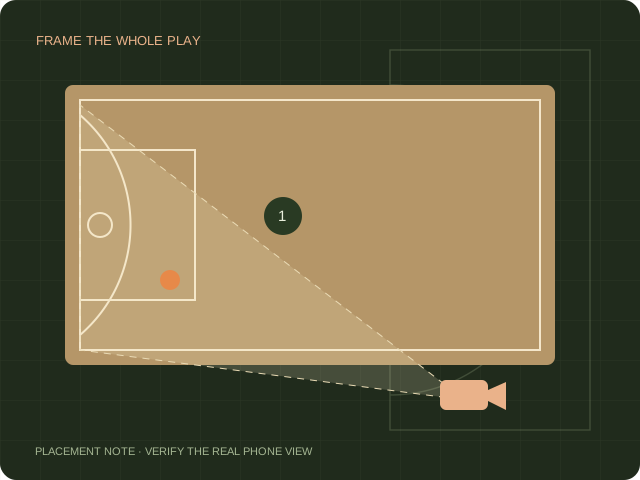
HomeCourt’s support guidance emphasizes visibility, lighting and keeping the device still during recording. Begin with a short counted set rather than repeating a long workout. Use the result to decide whether to adjust the camera, correct an existing session or contact support.
Name the error precisely
An attempt that is absent from the log is different from a recorded attempt marked with the wrong outcome. A location error is different again. Write down the expected attempts and makes before reviewing the app record. Avoid using only the best clips as your reference because those omit the very attempts you are investigating.
Use a small controlled check
Choose a spot where the player, ball and basket are visible. Record a short sequence while someone counts attempts manually. Keep the device in place during the sequence. Compare the complete record with that count. If you change lighting or framing, run a new sequence and label it separately rather than combining the results.
Correct the record carefully
The linked official support article describes session editing. Menu labels can differ from older FAQ instructions, so use the controls present in your installed version. Before making a correction, verify the result against the actual play. Correcting one record does not prove the same setup will detect the next workout accurately.
Send support something reproducible
If the issue persists, preserve the session and record the device, app version, approximate conditions and observed discrepancy. The official article asks for profile and activity links. Send account-specific information only through HomeCourt support, not a public comment. This page cannot inspect your account or repair its data.
Sources & scope.
Prepared by Hoopcut from public documentation, reviewed November 11, 2026. We have not tested these instructions inside a signed-in HomeCourt account. Official documents may describe older app menus; follow the current controls and confirm account-specific details with the provider.
- HomeCourt shot detection helpPublished update June 16, 2022. Editing menu differs from the older General FAQ.
Independent guide by Hoopcut. Not affiliated with or endorsed by HomeCourt. HomeCourt account, billing and recovery requests must go to the relevant provider.