
The quick answer
HomeCourt’s published focus is interactive basketball training and camera-based analysis. Hoopcut’s focus is turning basketball footage into clips and adding Shot Tracer. They can serve different steps of the same session; this is a task comparison, not a claim that either app wins every category.
Compare the job, not just the label.
| Your goal | Start with | Keep in mind |
|---|---|---|
| Practice activities and a training record | HomeCourt official training features | Check current access and device support |
| Basketball clips from footage | Hoopcut auto clipping | Review context before exporting |
| Visible ball-flight effect | Hoopcut Shot Tracer | An effect is not a measured release angle |
| Manual browser shot log | Hoopcut free shot chart | Separate tool; attempts entered by you |
When the session itself is the product
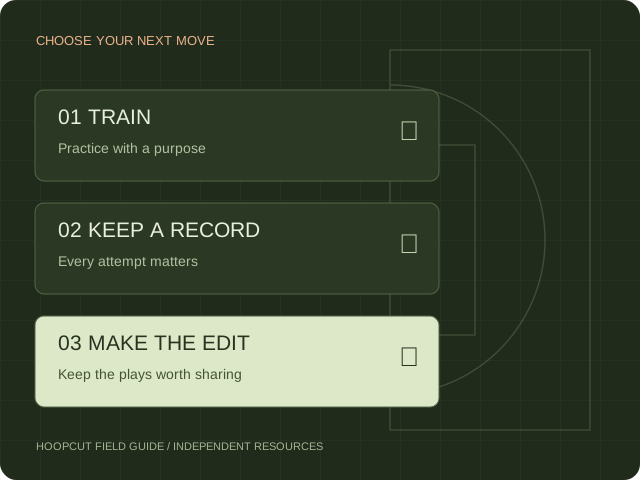
If you want to follow a training activity and review a practice record, evaluate the training features HomeCourt documents. Keep every attempt in the record and compare similar sessions. A selected sequence of made baskets may be enjoyable to watch, but it cannot tell you the success rate of the entire workout.
When the finished video is the product
If you already have basketball footage and want clips to review or share, evaluate Hoopcut’s auto clipping workflow. Then decide whether a Shot Tracer makes the ball flight easier to follow. Keep enough lead-in to show the player and enough ending to show the outcome. An effect should help the viewer read the play rather than hide missing context.
A practical two-output workflow
Plan the recording, retain the original file, and keep your practice record separate from your edit. If you use a file exported from another app, inspect the actual resolution, overlays and framing first. A saved video file is a handoff, not a direct account integration. No HomeCourt-to-Hoopcut account sync or statistics import is claimed.
What this comparison does not measure
This guide compares stated uses and the working browser resources on this site. It does not establish detection accuracy, rendering speed or player improvement. The free shot chart and court diagram are independent browser tools. They are not additional automatic tracking features inside the Hoopcut app.
Sources & scope.
Prepared by Hoopcut from public documentation, reviewed November 11, 2026. We have not tested these instructions inside a signed-in HomeCourt account. Official documents may describe older app menus; follow the current controls and confirm account-specific details with the provider.
- HomeCourt official websiteOfficial product description; no hands-on verification.
- Hoopcut on the App StoreOfficial product listing; Hoopcut focus is auto clipping and Shot Tracer.
Independent guide by Hoopcut. Not affiliated with or endorsed by HomeCourt. HomeCourt account, billing and recovery requests must go to the relevant provider.