
The quick answer
HomeCourt’s Team FAQ describes an export control in the video player for team administrators. Its PE materials also describe exporting recorded workouts. Availability and menu labels can differ by role and version; confirm the export action in your own session before planning the edit.
Check whose recording you are exporting
Use your own recording or one you are allowed to edit and share. Being able to watch a team member’s session does not establish permission to publish it elsewhere. For a team video, check both the available account role and the player’s sharing agreement before moving the file into an editing workflow.
Find the export action for an accessible team video
For a team administrator, HomeCourt’s published Team FAQ describes opening the video, starting playback and selecting the export icon at the upper right. Treat that as the documented route for that role, not a promise that every viewer has the same control. If it is absent, check your role and the current official help rather than trying to copy an unavailable recording through this website.
Verify the saved file outside HomeCourt
After using the available export control, open the saved copy in your normal player. Check that it includes the intended attempt, sound if needed, and the beginning and ending of the action. Record whether a score overlay or crop is already part of the file. An editor cannot recover pixels or footage absent from the export.
Create a shortlist with source timestamps
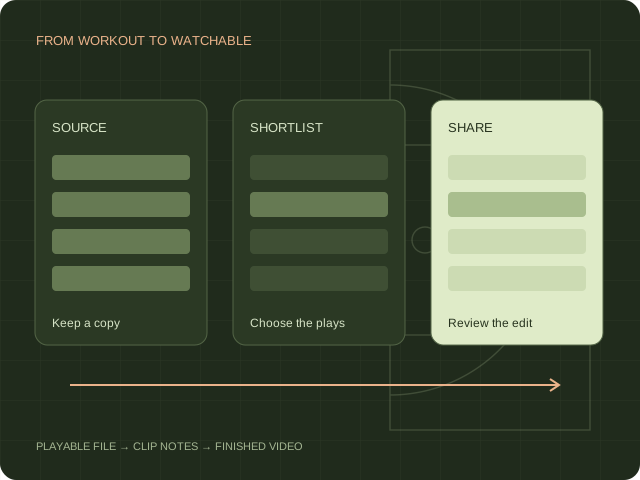
Keep the exported recording unchanged and work from a copy. In the clip log, identify the start and end of each useful moment, the visible player and the outcome. Leave enough time to understand the movement before release. Mark uncertain plays for review instead of resolving uncertainty with a confident caption.
Move from workout footage to a shareable edit
A playable file can become the input to a separate basketball editing workflow. Explore Hoopcut’s clipping and Shot Tracer demos to understand those steps. No direct HomeCourt account connection or automatic data migration is offered here. Check your own file in the app before assuming that its format, overlays or framing will produce the result you want.
Sources & scope.
Prepared by Hoopcut from public documentation, reviewed November 11, 2026. We have not tested these instructions inside a signed-in HomeCourt account. Official documents may describe older app menus; follow the current controls and confirm account-specific details with the provider.
- HomeCourt Team FAQUndated FAQ; menus may differ by installed app version.
- HomeCourt PE curriculumOfficial educational workflow describes exported workout videos.
Independent guide by Hoopcut. Not affiliated with or endorsed by HomeCourt. HomeCourt account, billing and recovery requests must go to the relevant provider.