 HoopCut
HOOPCUT / BASKETBALL VIDEO TOOLS
Basketball telestrator: choose a ball trail for one shot
A basketball telestrator can explain spacing and decisions with annotations. If your immediate goal is to emphasize one shot in a saved clip, a ball trail can be a simpler visual layer. This HoopCut uploader adds a shot-tracer effect; it does not replace tactical drawing or team-analysis software.
Upload a saved basketball video, select up to 30 seconds and mark the hoop. Preview the shot trail before exporting. This is an independent HoopCut tool, not a Hudl integration.
HoopCut is independent of Hudl. Local video file required; no Hudl account connection or URL downloader.
Add a shot tracer to your saved basketball clip
or drop your video here
MP4, MOV, WebM · Max 512 MBBefore you import: choose a clear basketball shot
- Keep the ball and hoop in frame. A steady, wide view makes the shot easier to follow.
- Include the full shot. Start before the release and keep the ball’s flight in your selected clip, up to 30 seconds.
- Use a video file from your device. Import MP4, MOV or WebM, up to 512 MB. A link to a video is not a video file.
See a finished shot tracer example · Basketball filming tips
Best with a steady camera, a visible ball and hoop. Your video is processed on our server. Access expires after 24 hours; expired files are removed during scheduled cleanup, which may be delayed. Privacy policy.
Your shot, traced.
Choose up to 30 seconds
Tracer effects
Tap to previewYour download has started.
SEE IT IN ACTION
Preview the basketball shot tracer effect
FROM CLIP TO HIGHLIGHT
From saved basketball recording to traced highlight
 01
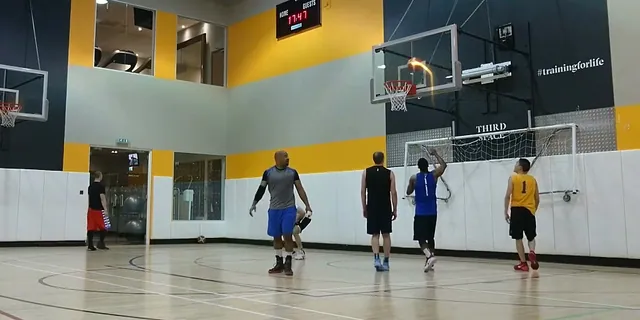
Prepare a saved basketball file
Choose a recording you own or have permission to edit; obtain the file before opening the uploader.
 02
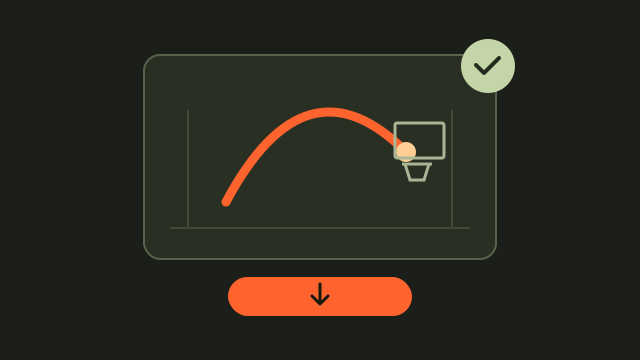
Select the shot and mark the hoop
Choose up to 30 seconds and preview the trail from release to basket.
 03
Export the edited copy
Save the Firework effect free and keep your original recording for reference.
Match the visual to the question
For spacing, passing choices or defensive movement, use your usual telestration tools. For a single visible release and flight toward the basket, preview a shot trail. Neither effect measures shooting skill or proves why a play succeeded.
Prepare a continuous attempt
Keep the pass or final dribble, release and arrival at the rim in one segment. A cut or occluded ball breaks the visual continuity. Select up to 30 seconds, mark the hoop and inspect the preview before export.
Keep analysis and presentation separate
Retain your unedited recording for coaching review. Export a separate copy with the visual effect for presentation or sharing. The uploader does not draw tactical arrows, connect to a Hudl account or import a remote clip URL.
See a shared HoopCut basketball example
Telestrator: file and tracer questions
Can HoopCut import a Hudl link or connect to my account?
No. Use an authorized video file saved on your device.
Does this tool provide tactical drawings or performance statistics?
No. This uploader previews and exports a basketball shot-tracer effect. Keep your original recording for analysis.
What should remain visible?
Keep the release, ball flight and rim in one continuous segment. Review the preview rather than assuming every recording will work.
Is the example footage mine?
No. It is a shared HoopCut demonstration. Upload your own file to preview your recording.
Sources & further reading
YOUR NEXT SHOT
Give your next basketball highlight a different look
Try the free Firework export here, or explore more basketball tracer effects in the HoopCut app.