 HoopCut
HOOPCUT / BASKETBALL VIDEO TOOLS
Online basketball training: turn your practice into a tracer clip
Online basketball training starts with a lesson or practice goal. A recording gives you something concrete to revisit afterward. Keep that complete session for review, then use HoopCut to add a shot tracer to one clear attempt and make a separate clip to share.
Upload footage already saved on your device, choose up to 30 seconds and preview the trail from release to basket. Firework export is free; your original recording remains the reference for any coaching discussion.
Add a tracer to a recorded practice attempt
or drop your video here
MP4, MOV, WebM · Max 512 MBBest with a steady camera, a visible ball and hoop. Your video is processed on our server. Access expires after 24 hours; expired files are removed during scheduled cleanup, which may be delayed. Privacy policy.
Your shot, traced.
Choose up to 30 seconds
Tracer effects
Tap to previewYour download has started.
SEE IT IN ACTION
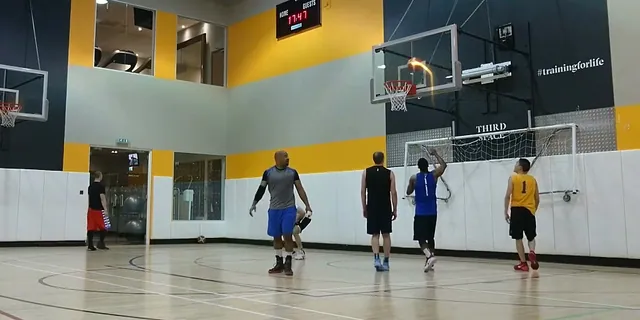
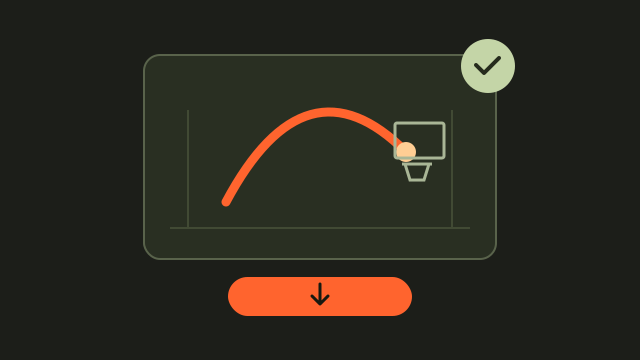
See how a visible ball trail looks
FROM CLIP TO HIGHLIGHT
From an online lesson to a shareable practice clip
 01
Choose a practice moment
Import a saved attempt from your training session.
 02
Check the shot trail
Preview the full release and finish within 30 seconds.
 03
Save a sharing copy
Export Firework and keep your original session file.
Choose an online basketball training format with a clear next step
A lesson library, a scheduled remote session and a workout-tracking app ask different things of a player. Before starting, identify the activity, the equipment and whether anyone will review your recording. Jr. NBA provides an official instructional curriculum and practice resources; follow the instructions for the activity you choose. Write one question you want to revisit after the session so your recording has a purpose.
Build a useful practice video record
Keep a simple session note beside the original file: date, activity, camera position and the part you want to review. If an instructor requests an angle or an unedited sequence, record that first. For a shooting clip, choose a position that keeps the player, basketball and basket visible throughout the attempt.
Keep attempts in their original order
Save the complete sequence before picking a favorite. A short highlight can sit beside the full session, with its start time in the filename or notes so you can find the surrounding attempts again.
- Save the source lesson or activity name with your session notes.
- Check a short test recording before completing the activity.
- Record the timestamp of the attempt you want to share.
Add a shot tracer to a practice highlight
Choose a visible attempt from your own footage and import it into the tool above. Select a range of up to 30 seconds that includes the release and finish. Watch whether the trail follows the intended basketball, especially when another player crosses the frame. Export an edited copy after checking the preview.
Send the right version for the purpose
Use the original when discussing the recording with an instructor, and the traced copy when you want to share the flight of a favorite shot. Give each file a clear name so the two versions remain easy to identify.
Explore a basketball shot tracer example
Online training and practice video questions
Does HoopCut provide online basketball lessons?
HoopCut is a video-editing tool. Choose instruction separately, then use this page to add a tracer to a practice recording you already have.
What should I record for a remote coach?
Ask the coach for their required view, duration and file format. Preserve that recording before making a short edited version.
Can a tracer tell me whether my technique improved?
A tracer visualizes the ball in a clip. It does not provide a technique assessment or prove improvement between sessions.
What if my training session is longer than 30 seconds?
Keep the full recording separately and select a range of up to 30 seconds for this web tool.
Can I share the exported clip?
You can download the free Firework version and share it through your chosen app, with the lesson or session context you want viewers to understand.
Sources & further reading
YOUR NEXT SHOT
Keep your basketball practice clips together
Export a short Firework clip free here. Preview Cosmic, Ice Beam and Sunset, then open the HoopCut app for more tracer effects.
Keep working on your basketball video
Browse all shot tracer workflows