 HoopCut
HOOPCUT / BASKETBALL VIDEO TOOLS
Basketball training app guide: add a shot tracer to practice clips
A basketball training app can guide your session, while a saved recording gives you a moment to revisit or share. Plan what you want to record before practice, keep a short session note and use HoopCut to add a shot trail to one clear attempt afterward.
Keep your full practice record separate. The tool below turns a selected range of up to 30 seconds into a visual tracer clip, with a free Firework export.
Trace one shot from your practice recording
or drop your video here
MP4, MOV, WebM · Max 512 MBBest with a steady camera, a visible ball and hoop. Your video is processed on our server. Access expires after 24 hours; expired files are removed during scheduled cleanup, which may be delayed. Privacy policy.
Your shot, traced.
Choose up to 30 seconds
Tracer effects
Tap to previewYour download has started.
SEE IT IN ACTION
Preview a traced basketball shot
FROM CLIP TO HIGHLIGHT
Turn a practice moment into a sharing clip
 01
Find your practice moment
Upload the saved recording and retain its session notes.
 02
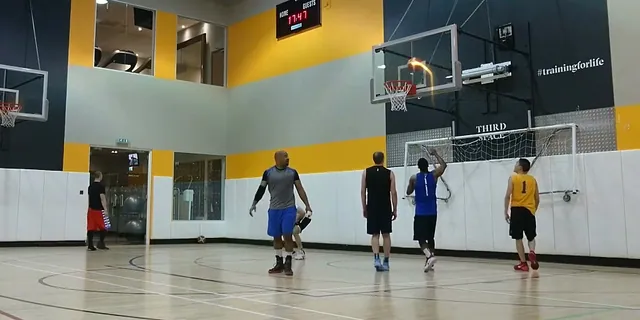
Select and inspect the shot
Keep the release and finish within a range of up to 30 seconds.
 03
Export the sharing copy
Save Firework free alongside the unedited original.
Choose the practice question before opening an app
Decide what you want to record about the session: the activity attempted, the number of repetitions or a note to discuss with a coach. Check that your chosen training app supports the task rather than expecting every app to provide the same feedback. HomeCourt’s official site describes interactive workouts and training feedback. HoopCut’s tool on this page is a way to edit a saved shot video afterward.
Keep a small, repeatable session note
A useful note can contain the date, activity name, recording filename and one question for your next review. Record any counts yourself or identify the service that supplied them. Avoid turning a short edited clip into evidence of an entire session’s results.
Make the recording easy to compare later
Choose a stable camera position with the player, ball and hoop visible. Check a short test recording before continuing. If you want to revisit several sessions, note where you placed the camera so you can use a similar view next time. Differences in framing change how the shot looks. Keep the unedited files available, including attempts you do not choose for a sharing clip.
- Check that the ball remains visible above the player and near the rim.
- Save the original recording with the date and activity name.
- Write down the timestamp of the attempt you want to revisit.
Share a practice moment with a visible ball trail
Choose an attempt that communicates the moment clearly, rather than trying to fit a whole practice into the web preview. Include the release and the finish in the selected range. Review the trace through the middle of the flight, where the ball may blend into a busy wall or another player. Once the effect follows the visible ball, export the Firework copy for sharing.
Separate your practice log from your highlight
Use the original recording and session notes when discussing what happened in practice. Use the edited copy when you want to share the visual moment. The tracer is an editing effect, so it does not replace a coach’s interpretation or establish a measured release angle.
Practice video tracer examples
Basketball training app and video questions
Can this page create a basketball training plan?
This page helps organize and edit recordings. Choose a training app or coach for activities and technique feedback.
How long can my practice clip be?
The web tool processes up to 30 seconds. Keep the full recording separately and choose an excerpt that fits.
What should I save with each recording?
Keep the date, activity name, original filename and excerpt timestamp so you can find the same moment later.
Can a tracer show that my shooting has improved?
A trail alone cannot establish improvement. Framing and attempt selection affect its appearance; discuss progress using your broader practice record.
Which export is free?
Firework exports are free here. Preview Cosmic, Ice Beam and Sunset, then open HoopCut for more effects.
Sources & further reading
YOUR NEXT SHOT
Give your practice clip a visible shot trail
Export Firework here, or explore the other previews before continuing with more effects in HoopCut.
Keep working on your basketball video
Browse all shot tracer workflows