 HoopCut
HOOPCUT / BASKETBALL VIDEO TOOLS
Add a shot tracer to a saved indoor basketball recording
Working with an indoor basketball recording from your Hudl Focus Indoor workflow? Obtain a saved video file through the options available to you, then select a clear attempt for a shot-tracer preview. HoopCut does not connect to the camera, your account or a remote recording URL.
Upload a saved basketball video, select up to 30 seconds and mark the hoop. Preview the shot trail before exporting. This is an independent HoopCut tool, not a Hudl integration.
HoopCut is independent of Hudl. Local video file required; no Hudl account connection or URL downloader.
Add a shot tracer to your saved basketball clip
or drop your video here
MP4, MOV, WebM · Max 512 MBBefore you import: choose a clear basketball shot
- Keep the ball and hoop in frame. A steady, wide view makes the shot easier to follow.
- Include the full shot. Start before the release and keep the ball’s flight in your selected clip, up to 30 seconds.
- Use a video file from your device. Import MP4, MOV or WebM, up to 512 MB. A link to a video is not a video file.
See a finished shot tracer example · Basketball filming tips
Best with a steady camera, a visible ball and hoop. Your video is processed on our server. Access expires after 24 hours; expired files are removed during scheduled cleanup, which may be delayed. Privacy policy.
Your shot, traced.
Choose up to 30 seconds
Tracer effects
Tap to previewYour download has started.
SEE IT IN ACTION
Preview the basketball shot tracer effect
FROM CLIP TO HIGHLIGHT
From saved basketball recording to traced highlight
 01
Prepare a saved basketball file
Choose a recording you own or have permission to edit; obtain the file before opening the uploader.
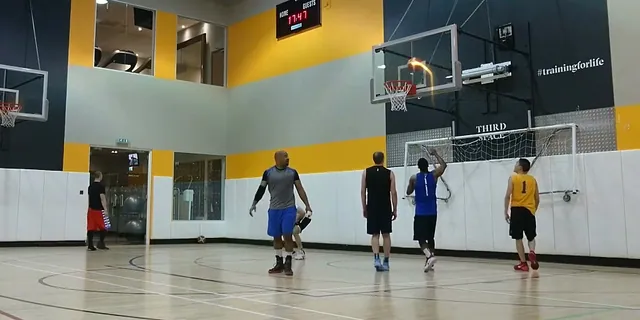 02
Select the shot and mark the hoop
Choose up to 30 seconds and preview the trail from release to basket.
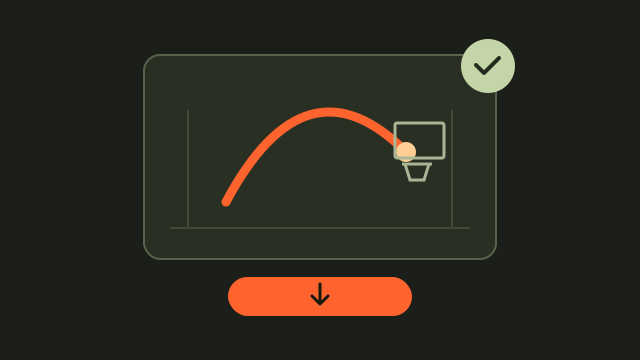 03
Export the edited copy
Save the Firework effect free and keep your original recording for reference.
Start with a file you may edit
The linked official page describes an indoor sports camera. File access depends on your recording workflow and permissions. Obtain an authorized local copy before opening HoopCut; a share link or access to a stream is not a video file.
Check the full-court view before selecting a shot
In a wide recording, a player and ball may occupy only a small part of the image. Choose a section where release and rim remain visible. Avoid cropping away the top of the arc or selecting an attempt hidden by another player.
Inspect the result on the selected possession
Select up to 30 seconds and mark the hoop. Watch the preview through the release and finish. Export a separate edited copy if the trail looks right, keeping the original recording for review. No automatic Hudl upload or camera control is performed.
See a shared HoopCut basketball example
Hudl Focus Indoor: file and tracer questions
Can HoopCut import a Hudl link or connect to my account?
No. Use an authorized video file saved on your device.
Does this tool provide tactical drawings or performance statistics?
No. This uploader previews and exports a basketball shot-tracer effect. Keep your original recording for analysis.
What should remain visible?
Keep the release, ball flight and rim in one continuous segment. Review the preview rather than assuming every recording will work.
Is the example footage mine?
No. It is a shared HoopCut demonstration. Upload your own file to preview your recording.
Sources & further reading
YOUR NEXT SHOT
Give your next basketball highlight a different look
Try the free Firework export here, or explore more basketball tracer effects in the HoopCut app.