 HoopCut
HOOPCUT / BASKETBALL VIDEO TOOLS
Cchs Miami basketball highlights — add a shot tracer
Have a basketball clip from Cchs Miami? Make the shot stand out with a visible ball trail. Upload your recording, select the play and preview your traced highlight — from the catch to the finish at the basket.
Keep the pass, release and finish in view. Select up to 30 seconds, mark the hoop and preview the effect before saving your clip.
Independent HoopCut editing tool; not affiliated with Cchs Miami. Demo footage is a shared basketball example.
Add a tracer to your Cchs Miami basketball clip
or drop your video here
MP4, MOV, WebM · Max 512 MBBefore you import: choose a clear basketball shot
- Keep the ball and hoop in frame. A steady, wide view makes the shot easier to follow.
- Include the full shot. Start before the release and keep the ball’s flight in your selected clip, up to 30 seconds.
- Use a video file from your device. Import MP4, MOV or WebM, up to 512 MB. A link to a video is not a video file.
See a finished shot tracer example · Basketball filming tips
Best with a steady camera, a visible ball and hoop. Your video is processed on our server. Access expires after 24 hours; expired files are removed during scheduled cleanup, which may be delayed. Privacy policy.
Your shot, traced.
Choose up to 30 seconds
Tracer effects
Tap to previewYour download has started.
SEE IT IN ACTION
See how a shot tracer changes a basketball clip
FROM CLIP TO HIGHLIGHT
From game recording to traced basketball highlight
 01
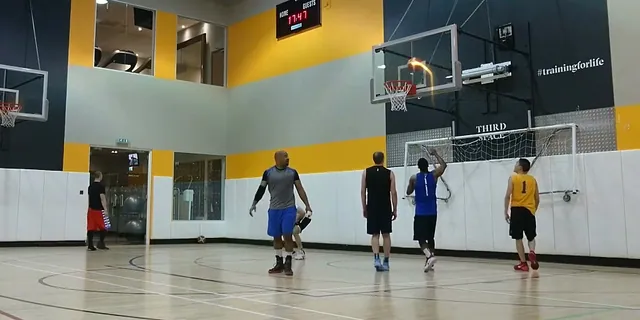
Upload your game recording
Pick a saved clip with the shooter, ball and basket visible.
 02
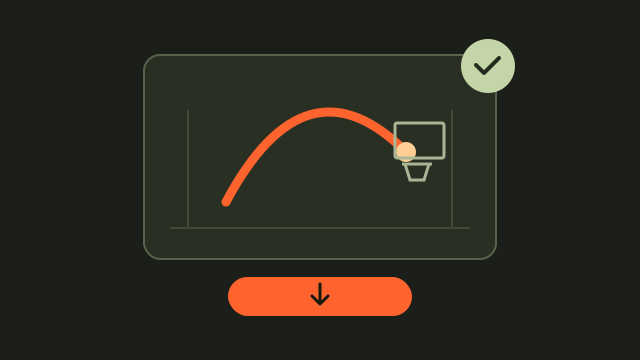
Select the shot and preview its trail
Choose up to 30 seconds, mark the hoop and watch the tracer from release to basket.
 03
Export your traced highlight
Save the Firework effect free, then keep or share the edited clip.
Choose a shot for your Cchs Miami basketball highlight
A useful game highlight shows how the shot develops. Start just before the catch or dribble, keep the release in view and let the clip run until the ball reaches the basket. A tracer draws attention to the flight, while the surrounding play gives viewers the moment that led to it.
Keep the setup and finish together
For a catch-and-shoot play, include the pass. For a pull-up jumper, include the last dribble. Trim dead time around the possession so the highlight stays focused on the shot.
Preview the tracer through a busy game sequence
Upload your saved clip in the tool above, select up to 30 seconds and mark the hoop. Watch the preview from release to finish. Pay particular attention when a defender crosses the ball or the camera pans: the finished trail should help viewers follow the shot.
Check the moment the ball leaves the hand
Replay the release and the arrival at the rim. If the ball disappears behind another player, try a clearer attempt from your recording and compare the result.
Save your Cchs Miami basketball clip with a tracer
When the preview looks right, export the Firework effect free and save the traced version alongside your original. Give the file a useful name with the game date and play so you can find it when putting together a personal highlight collection.
Prepare the clip for sharing
Play the saved clip once before sharing it. Include the player or game details you know in your caption, and retain the source recording if you want a longer version later.
Watch the ball trail in action
Editing your Cchs Miami basketball highlights
How do I add a tracer to my Cchs Miami basketball video?
Upload your saved recording using the tool above, select up to 30 seconds and mark the hoop. Preview the shot trail, then export the Firework effect free when you are happy with the result.
What makes a game clip suitable for a shot tracer?
Choose a continuous shot with the ball and basket visible. Include the pass or final dribble, the release and the finish. If players block the ball, inspect the preview carefully or choose a clearer attempt.
Can I paste a Hudl link into this uploader?
Use a video file saved on your device. This uploader does not import Hudl links; upload a recording you own or have permission to edit.
Is the demo a Cchs Miami basketball video?
The demo is a shared HoopCut basketball example. It lets you see the effect before uploading your own clip. HoopCut is an independent editing tool.
Sources & further reading
YOUR NEXT SHOT
Give your next basketball highlight a different look
Try the free Firework export here, or explore more basketball tracer effects in the HoopCut app.
Keep working on your basketball video
Browse all shot tracer workflows