 HoopCut
HOOPCUT / BASKETBALL VIDEO TOOLS
Can You Download Hudl Videos — prepare a basketball clip for a shot tracer
Want a shot trail on a basketball clip you found in Hudl? First save a video file using the download options available to your account. Then upload that file here to trace the shot. A Hudl share link alone is not a video file.
Upload a saved basketball video, select up to 30 seconds and mark the hoop. Preview the shot trail before exporting. This is an independent HoopCut tool, not a Hudl integration.
HoopCut is independent of Hudl. Local video file required; no Hudl account connection or URL downloader.
Add a shot tracer to your saved basketball clip
or drop your video here
MP4, MOV, WebM · Max 512 MBBefore you import: choose a clear basketball shot
- Keep the ball and hoop in frame. A steady, wide view makes the shot easier to follow.
- Include the full shot. Start before the release and keep the ball’s flight in your selected clip, up to 30 seconds.
- Use a video file from your device. Import MP4, MOV or WebM, up to 512 MB. A link to a video is not a video file.
See a finished shot tracer example · Basketball filming tips
Best with a steady camera, a visible ball and hoop. Your video is processed on our server. Access expires after 24 hours; expired files are removed during scheduled cleanup, which may be delayed. Privacy policy.
Your shot, traced.
Choose up to 30 seconds
Tracer effects
Tap to previewYour download has started.
SEE IT IN ACTION
Preview the basketball shot tracer effect
FROM CLIP TO HIGHLIGHT
From saved basketball recording to traced highlight
 01
Prepare a saved basketball file
Choose a recording you own or have permission to edit; obtain the file before opening the uploader.
 02
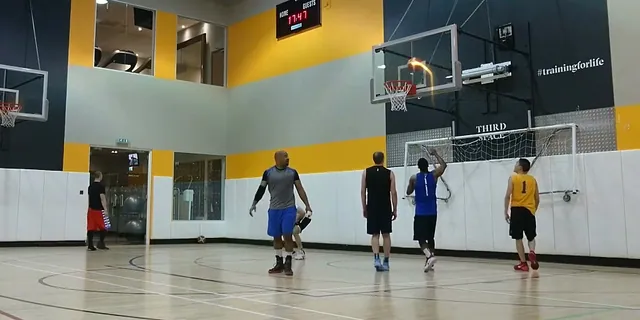
Select the shot and mark the hoop
Choose up to 30 seconds and preview the trail from release to basket.
 03
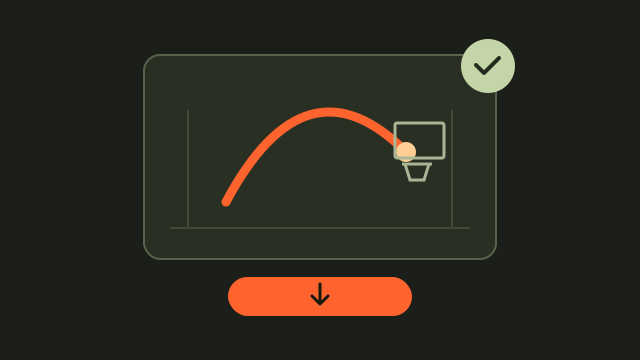
Export the edited copy
Save the Firework effect free and keep your original recording for reference.
Save the basketball video before adding a tracer
Want a shot trail on a basketball clip you found in Hudl? First save a video file using the download options available to your account. Then upload that file here to trace the shot. A Hudl share link alone is not a video file.
Start with the official download route
Hudl documents separate routes for highlights and team-library video. Check the relevant help page below and the options in your own account. If you cannot export the recording, ask the coach or owner for a copy you may edit; this uploader cannot unlock or download it.
Choose the part of the basketball clip worth tracing
Keep one continuous attempt with the release, ball flight and rim visible. For a catch-and-shoot highlight, start before the pass arrives. For a pull-up, preserve the final dribble. End after the ball reaches the basket rather than cutting away during the flight.
Avoid tracing across a montage cut
A cut, sudden zoom or blocked ball can make the trail harder to review. Work on one clear shot before combining it with other plays in your usual editor.
Preview and export the traced basketball shot
Select your saved file in the uploader, choose up to 30 seconds and mark the hoop. Review the release and arrival at the rim. When the preview looks right, export the Firework effect free and keep the edited copy alongside the source.
Keep the effect separate from performance evidence
A tracer is a visual effect, not a shooting percentage, recruiting evaluation or measured ball trajectory. Preserve the original recording if a coach needs to review the unedited possession.
See a shared HoopCut basketball example
Can You Download Hudl Videos: file and tracer questions
Can I paste a Hudl URL into HoopCut?
No. Select a video file saved on your device. HoopCut does not import Hudl URLs or access your account.
What if I cannot download the original clip?
Use the official Hudl help links and check the permissions available to your account. Ask the recording owner or coach for a copy you may edit. A share or embed link does not grant file access.
Is downloading from Hudl always free?
Do not assume so. Download availability and any cost depend on the Hudl product, account and video. The free Firework export offered here applies to the HoopCut effect, not Hudl downloads.
Will this tool upload the finished video to Hudl?
No. Save the traced file and manage any subsequent upload through your own authorized account.
Is the demonstration my team video?
No. It is a shared HoopCut example. Upload your own basketball clip to preview the effect on your footage.
Sources & further reading
YOUR NEXT SHOT
Give your next basketball highlight a different look
Try the free Firework export here, or explore more basketball tracer effects in the HoopCut app.
Keep working on your basketball video
Browse all shot tracer workflows