 HoopCut
HOOPCUT / BASKETBALL VIDEO TOOLS
Basketball game recording app: add a shot tracer to your footage
A basketball game recording app needs to capture usable footage before any highlight can be edited. Start with a camera and a clear view of the action. Once the game is saved, bring one visible shooting sequence into HoopCut and add a shot tracer for sharing.
Use the checklist below to keep the release, ball flight and finish in the recording. The web tool imports a saved video and processes a selected clip of up to 30 seconds; Firework export is free.
Add a tracer to your saved game footage
or drop your video here
MP4, MOV, WebM · Max 512 MBBest with a steady camera, a visible ball and hoop. Your video is processed on our server. Access expires after 24 hours; expired files are removed during scheduled cleanup, which may be delayed. Privacy policy.
Your shot, traced.
Choose up to 30 seconds
Tracer effects
Tap to previewYour download has started.
SEE IT IN ACTION
Preview the effect on a basketball recording
FROM CLIP TO HIGHLIGHT
From a game recording to a traced highlight
 01
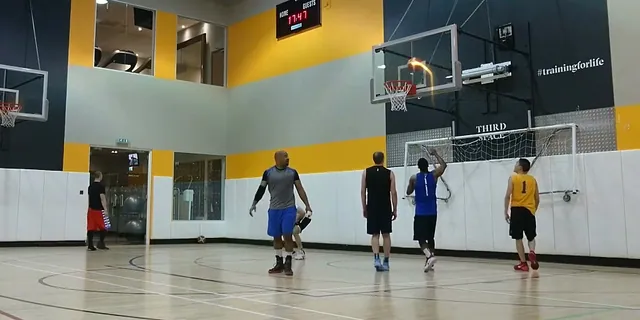
Locate the saved play
Use your game notes to find a complete shooting sequence.
 02
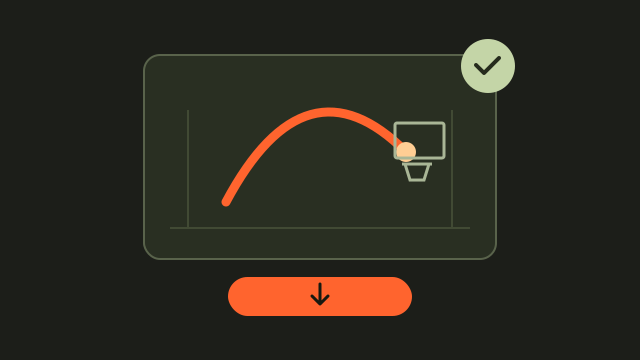
Select and preview
Choose up to 30 seconds and check the traced ball.
 03
Download the highlight
Save Firework with a recognizable game and player label.
Check what your basketball game recording app actually saves
Start with the file you need at the end: a playable recording that you can locate, copy and edit. Check the recorder’s supported device, storage location and export options before the game. Apple’s Camera guide explains the video controls on iPhone; recording options vary by model. Test the settings you plan to use in the same gym, then play the saved test rather than relying only on the live camera view.
Frame the sequence you will want to show
A close view of the shooter can lose the ball at the top of its flight. Leave room above the basket and enough court around the shooter for the attempt to make sense. Keep the camera steady when possible, and check that spectators or equipment will not block the view.
Make a short capture-and-playback check
Record an ordinary attempt, stop recording and replay it. Confirm that the player remains identifiable, the ball is visible in flight and the finish stays in frame before committing to a longer recording.
- Confirm available storage and battery before recording.
- Keep a note of the period or time when an interesting play occurs.
- Save the complete recording before making edited highlights.
Turn a saved shot into a tracer clip
Find the sequence in your game file and upload the recording to HoopCut. Choose up to 30 seconds with a little context before release and after the result. If the ball leaves the image, choose another angle or attempt from your footage. Preview the trace before downloading Firework.
Keep game time and file time separate
A scoreboard time and a video timestamp may describe different points. Write both down when available so you can locate the play in the original file after you have exported a shorter version.
Explore a basketball shot tracer example
Basketball recording and tracer questions
Does this page record a live basketball game?
This page imports a video already saved on your device. Use your camera or recording app to capture the game first.
Can I upload an entire game?
The upload limit is 512 MB, and each web result covers up to 30 seconds. Prepare a smaller source excerpt if the game file exceeds the upload limit.
Should I zoom in on the shooter?
Check that your framing still contains the ball’s complete flight and the basket. Choose the view that preserves the sequence you want to show.
Does the recorder need to be HoopCut?
You can start with your own saved basketball footage. The web upload accepts MP4, MOV and WebM files; preview the result to confirm your file works.
Will a tracer fix a blocked recording?
The visual effect cannot restore action that was hidden or outside the frame. Try a clearer recording or select another attempt.
Sources & further reading
YOUR NEXT SHOT
Give a game highlight a visible shot trail
Export a short Firework clip free here. Preview Cosmic, Ice Beam and Sunset, then open the HoopCut app for more tracer effects.
Keep working on your basketball video
Browse all shot tracer workflows