 HoopCut
HOOPCUT / BASKETBALL VIDEO TOOLS
Basketball video software for a clear shot tracer highlight
Basketball video software can help with different parts of the edit: finding a play, choosing its boundaries, adding an effect or preparing a file to share. Use HoopCut here when you already have a shooting clip and want a visible trail on the basketball.
Keep the source recording, select up to 30 seconds and compare the preview with the original. Export the Firework effect free, or preview other tracer styles before continuing in the HoopCut app.
Try the basketball shot tracer editor
or drop your video here
MP4, MOV, WebM · Max 512 MBBest with a steady camera, a visible ball and hoop. Your video is processed on our server. Access expires after 24 hours; expired files are removed during scheduled cleanup, which may be delayed. Privacy policy.
Your shot, traced.
Choose up to 30 seconds
Tracer effects
Tap to previewYour download has started.
SEE IT IN ACTION
Watch the shot tracer before editing your clip
FROM CLIP TO HIGHLIGHT
Build a short basketball edit in three steps
 01
Select your source play
Import a saved clip and retain the unedited recording.
 02
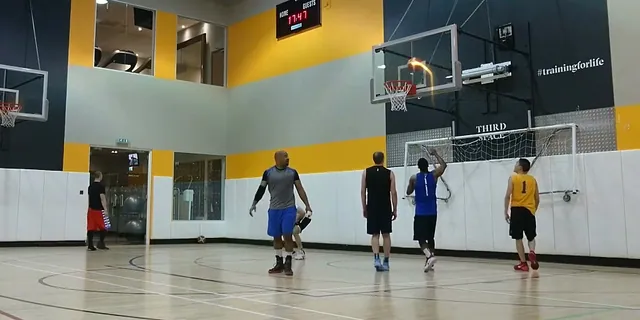
Review the visual trail
Choose up to 30 seconds and inspect the traced flight.
 03
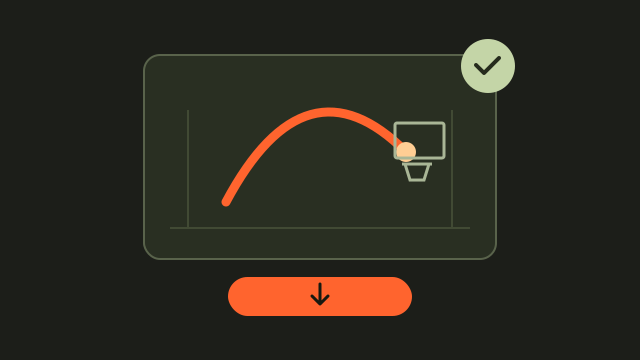
Export your finished copy
Download Firework and label the result for sharing.
Match basketball video software to your editing task
A single traced shot needs a clear source clip and an effect preview. A multi-play reel also needs a timeline or editor for arranging separate sequences. A coaching review may need notes and access to the original footage. Check that your chosen software supports the workflow you need.
Prepare a source clip that survives the handoff
Find the original recording and make a working copy. Keep the release and the ball reaching the basket inside the selection; avoid starting after the shot is already in the air. If you first trim on iPhone, Apple’s Photos guide explains how to save the trimmed selection as a separate clip.
Use filenames that describe the edit
For example, combine a date, a player identifier and the source timestamp. Add a short effect label to the exported filename so you can distinguish the traced version from the original without opening both files.
- Locate the original and note the start and end of your chosen play.
- Keep a playable source copy before trimming or adding effects.
- Check the exported file in the app where you intend to share it.
Preview a basketball tracer before the final export
Upload your saved clip and select a range of up to 30 seconds. Review the trail at the beginning, through the middle of the flight and near the hoop. If the effect follows the wrong ball or loses the flight behind another player, try a clearer section. Download Firework when you are happy with the preview.
Review the result at its viewing size
A clip that looks clear on a large screen may be harder to read in a phone feed. Play the exported file on the device you expect to use and make sure the shooter, ball and finish are still recognizable.
Explore a basketball shot tracer example
Basketball video editing questions
What part of basketball video editing does HoopCut handle here?
This web tool adds a shot tracer to a selected portion of your saved basketball video and lets you preview the result.
Can I combine several plays on this page?
The web workflow processes one selected range. Use a separate editor if your project needs a timeline containing several clips.
Which files can I try?
The upload accepts MP4, MOV and WebM, with a 512 MB maximum file size. Keep a copy of the source and confirm that its preview plays correctly.
Is the shot tracer export free?
Firework export is free for a selected clip up to 30 seconds. Cosmic, Ice Beam and Sunset are preview options here, with an app link for more effects.
Should I delete the original after editing?
Keeping the original lets you make a new selection, compare the effect with the visible ball and recover the surrounding play later.
Sources & further reading
YOUR NEXT SHOT
Add more style to your next basketball edit
Export a short Firework clip free here. Preview Cosmic, Ice Beam and Sunset, then open the HoopCut app for more tracer effects.
Keep working on your basketball video
Browse all shot tracer workflows