 HoopCut
HOOPCUT / BASKETBALL VIDEO TOOLS
App basketball coach workflows: keep feedback and effects separate
A coach reviewing a saved basketball attempt needs to see the actual action. An app basketball coach search may involve instruction or communication tools, but HoopCut’s role is narrower: make an effect version of your footage while keeping the original available for the person providing feedback.
For a catch-and-shoot attempt, retain the catch, footwork, release, and result in the plain recording. A separate tracer copy can be used for presentation. If a coach asks for another angle or a longer sequence, provide that actual footage rather than interpreting the effect.
Add a shot tracer to your basketball clip
or drop your video here
MP4, MOV, WebM · Max 512 MBBest with a steady camera, a visible ball and hoop. Your video is processed on our server. Access expires after 24 hours; expired files are removed during scheduled cleanup, which may be delayed. Privacy policy.
Your shot, traced.
Choose up to 30 seconds
Tracer effects
Tap to previewYour download has started.
SEE IT IN ACTION
See the basketball shot tracer effect
FROM CLIP TO HIGHLIGHT
Coach review clips: from clip to shot trail
 01
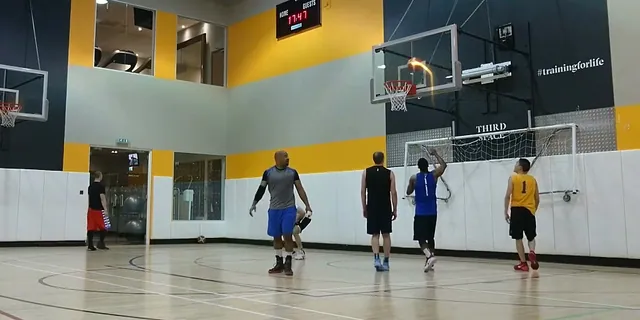
Choose a basketball clip
Upload your saved recording and select a passage of up to 30 seconds.
 02
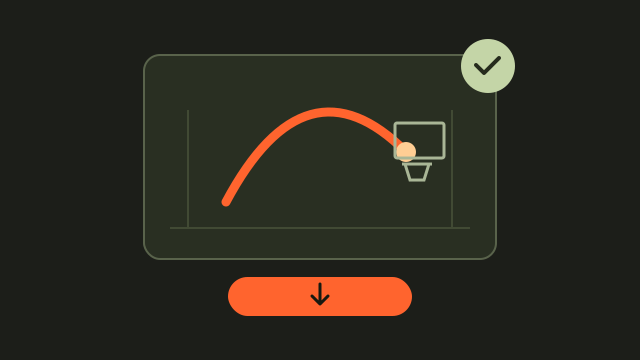
Preview the shot trail
Choose the target hoop when prompted and check the effect against the visible ball.
 03
Export your highlight
Download the free Firework export and keep the original recording.
Ask what your coach needs to see
Before trimming, ask whether the purpose is reviewing a single attempt, a repeated task, or a full possession. Preserve that context and avoid removing moments that seem uninteresting but answer the question. Keep the coach’s notes attributable to the coach. HoopCut does not generate instruction, judge form, or establish that a player followed the requested task correctly.
Keep feedback attached to the right clip
Use a simple clip name or timestamp in your own notes so you can tell which attempt a coach discussed later.
Send the plain version first
When feedback is the purpose, make the original easy to find. Treat a tracer version as an optional presentation copy rather than the primary evidence.
Prepare a clear basketball shot for the tracer
Keep the basketball, shooting hand and target hoop in the frame. Choose a short passage that starts before the release and ends after the ball reaches the basket. A steady camera and a visible flight give you a clearer view of the added trail.
- Use the original saved recording when possible, before social-media compression.
- Select a passage of up to 30 seconds that includes the release and finish.
- Choose the correct hoop when prompted, especially when several baskets are visible.
Review the basketball trail before sharing
Play the preview through once at normal speed, then check the release, highest point and finish. The effect should follow the visible ball without hiding the action. Keep an unedited copy if you also want to review footwork, timing or the surrounding play.
- Check any moment when another player or the backboard blocks the ball.
- Export the free Firework effect once the preview is ready.
- Save the edited clip separately from the original recording.
Watch a basketball tracer example
Coach review clips: questions and answers
Is this an app that acts as a basketball coach?
No. This page offers a video effect tool. It does not provide personalized instruction, form assessment, practice planning, or a coach communication service.
Can I make a clip to discuss with my coach?
Yes. Keep the relevant action visible and save an unedited version. Your coach’s feedback comes from that person, not from the tracer effect.
Which videos can I use?
Choose a saved MP4, MOV or WebM basketball video up to 512 MB. Select a segment of up to 30 seconds with the ball and hoop visible.
What can I export on this page?
Firework is the free web export. You can preview the other effect styles and follow the HoopCut app link for more effects.
Does the tracer measure shooting accuracy?
No. The tracer is a visual editing effect. It does not provide a shooting percentage, player rating or coaching assessment.
YOUR NEXT SHOT
Give your next basketball shot a trail
Try Firework with your own clip here, then explore more basketball tracer effects in the HoopCut app.
Keep working on your basketball video
Browse all shot tracer workflows