 HoopCut
HOOPCUT / BASKETBALL VIDEO TOOLS
Basketball coaching software guide: shot tracer for sharing clips
Choosing basketball coaching software starts with the work your team needs to complete: organizing film, assigning activities or sharing a finished clip. Plan the handoff between those tasks. Use HoopCut when you want a short, visibly traced shot for sharing, while keeping the original footage available for review.
Upload a saved basketball recording, select up to 30 seconds and export Firework free. Keep your film notes and team review inside the tools you already use.
Create a sharing copy of a team shot
or drop your video here
MP4, MOV, WebM · Max 512 MBBest with a steady camera, a visible ball and hoop. Your video is processed on our server. Access expires after 24 hours; expired files are removed during scheduled cleanup, which may be delayed. Privacy policy.
Your shot, traced.
Choose up to 30 seconds
Tracer effects
Tap to previewYour download has started.
SEE IT IN ACTION
Preview the visual tracer effect
FROM CLIP TO HIGHLIGHT
Keep review footage intact while making a clip
 01
Keep the reference recording
Upload a saved clip and retain the original session file.
 02
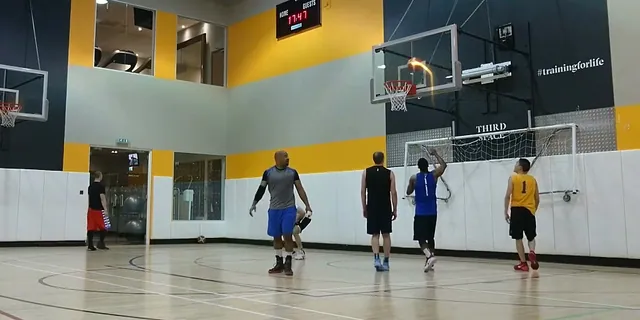
Review one traced shot
Select up to 30 seconds and check the ball trail in context.
 03
Export a separate sharing copy
Save Firework free with a filename that identifies the edit.
Write a workflow checklist before comparing software
List who records the session, who organizes the files and who needs to watch them. Then identify the output each person needs. Hudl’s basketball page describes video and analysis products; HomeCourt for Teams describes group activities and communication. Check those providers for current access and feature details. This HoopCut page supplies a narrower editing task: a shot trail on a video you already have.
Test the handoff with one recording
Use a short file to check your camera-to-review-to-export path. Confirm that the intended recipient can open the original recording and that any notes remain attached to the right moment. Check actual export options rather than assuming separate services connect automatically.
Keep a reference to the full possession or session
A short shot clip can leave out the pass, spacing or decision that came before it. Retain the source recording and write down where the excerpt begins and ends. Use consistent labels for the session, player identifier and sequence. When you share a short edit alongside a coaching discussion, keep a route back to the longer recording so viewers can examine the surrounding play.
- Store the original with a session date and clear file label.
- Note the timestamp of the sequence selected for editing.
- Keep review notes separate from any decorative effect added later.
Make an edited copy for sharing outside the review
Choose one shot where the release and ball flight are clearly visible. Upload the saved file and select up to 30 seconds, including the finish. Preview the trail before exporting. Firework is free to save from the web tool. If a player hides the ball or the camera loses the shot, choose another example instead of presenting the edit as a complete view of the action.
Name the version and confirm its audience
Use a suffix such as traced or sharing-copy so teammates can distinguish the edit from review footage. Confirm the intended audience before posting player video, and keep private team material within the sharing arrangements already agreed for that recording.
Examples of edited basketball shots
Basketball coaching software and video questions
Is HoopCut a complete basketball coaching platform?
This workspace adds a visual shot trail. It does not manage rosters, assign workouts or replace a film-review service.
Can I move a recording from coaching software into this tool?
Upload an exported file already saved on your device and available for you to edit. Check the source service’s export options.
Will an edited trail help measure the shot?
The trail is a visual effect. Retain the original and use an appropriate review process for measured information.
What should accompany a short clip?
Keep the original file label and excerpt timestamp so viewers can find the full possession and its surrounding play.
Which version can I export free?
Firework exports are free for selected clips up to 30 seconds. Other styles are previews, with an app link for more effects.
Sources & further reading
YOUR NEXT SHOT
Create a clear basketball sharing clip
Use the free Firework export for a short shot, or open HoopCut after previewing the other tracer styles.
Keep working on your basketball video
Browse all shot tracer workflows