
The quick answer
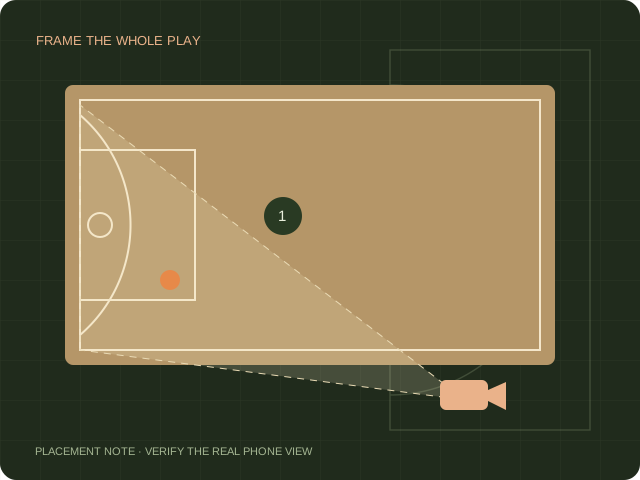
HomeCourt’s movement guidance asks for a clear view of the whole body, visible ground in front of the player and hands that are not hidden by the body. Start with the drill’s on-screen setup instructions, then use a short controlled test.
Frame the movement rather than the basket
Set up for the area in which the player will move. A distant half-court shooting view is not automatically suitable for an activity that reads body movement. Check the screen with the player at the left, right and nearest edges of the intended space. If part of the body disappears, adjust the view before beginning.
Remove avoidable visual ambiguity
Inspect the background and the contrast between the player, ball and surroundings. Keep other people out of the test area and use consistent lighting. Follow the stance shown for the specific drill rather than inventing a different starting pose. A short test helps distinguish a setup issue from confusion about the activity instructions.
Compare the same movement after one change
Choose one short movement sequence and repeat it after a single setup change. Note the phone angle, position and whether hands or ball left the frame. A new drill, a new person and a new camera position all at once make it hard to identify what changed. Keep the comparison descriptive; do not turn a few attempts into an accuracy claim.
Keep editing separate from movement detection
If you film the practice for a recap, store that recording separately from any drill score. Hoopcut can be evaluated for basketball clip editing, but this guide does not claim it repairs HomeCourt dribbling detection or imports a drill score. Use official HomeCourt support for a persistent activity-specific error.
Sources & scope.
Prepared by Hoopcut from public documentation, reviewed November 11, 2026. We have not tested these instructions inside a signed-in HomeCourt account. Official documents may describe older app menus; follow the current controls and confirm account-specific details with the provider.
- HomeCourt movement detection helpPublished update September 7, 2022.
Independent guide by Hoopcut. Not affiliated with or endorsed by HomeCourt. HomeCourt account, billing and recovery requests must go to the relevant provider.