Sharing and team stories
Basketball Senior Night Table Ideas: 3 Clear Display Zones
Arrange a basketball senior night table with a name zone, memory zone and take-away zone. Includes an original layout diagram and editable table cards.
 THE HOOPCUT PLAYBOOK
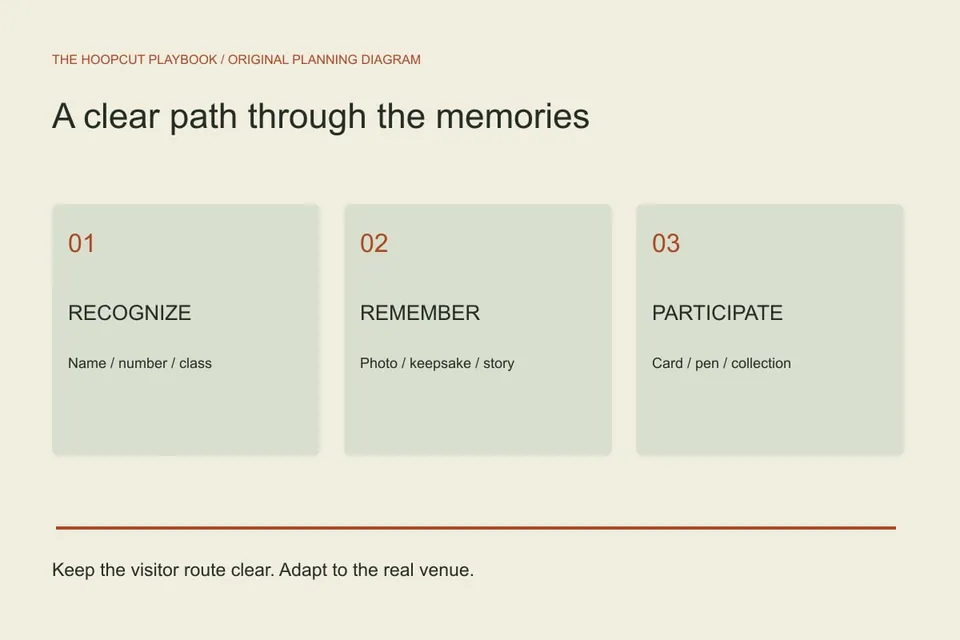
A useful senior night table has a clear player identity, a small set of meaningful items and room for visitors to pause without blocking the entrance. Divide it into three zones: recognize the player, explore a memory, and leave or collect a message. The layout here is an original planning diagram. It is not a photograph of a customer event or a scale plan for your venue.
A PRACTICAL STARTING POINT
Start with the traffic route, not the tablecloth
Ask the organizer where the display can sit and which side visitors will approach from.
Zone one: make the player identifiable at a glance
Use a table card with the verified name, number and class year.
Zone two: choose a few memories with a clear connection
Select one team image, a small approved keepsake or a short written memory rather than filling every surface.
Start with the traffic route, not the tablecloth
Ask the organizer where the display can sit and which side visitors will approach from. Check doors, staff access and the route to the stands before setting out keepsakes. A narrow entrance may need a smaller display or several shorter viewing points. Do not treat the scorer’s table or team bench as spare display space. Put the clearest name label on the side people see first. The illustrated three-zone plan is adaptable; measure the actual table and keep the required circulation space clear.
Zone one: make the player identifiable at a glance
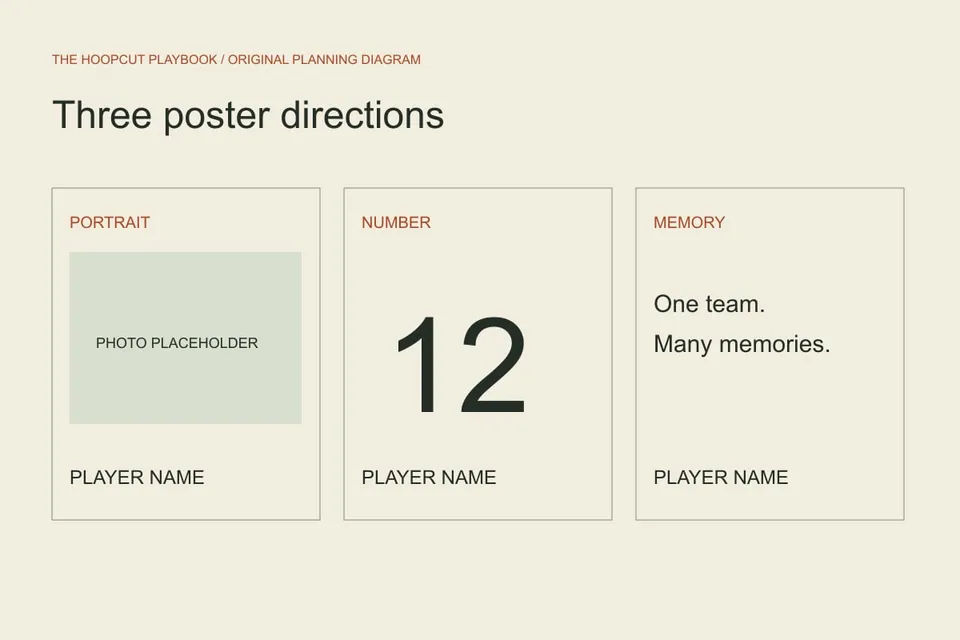
Use a table card with the verified name, number and class year. Keep it readable above nearby objects without creating a high barrier. A consistent type size across the senior group helps visitors find everyone. If a matching poster stands behind the table, let the card repeat only the essential identity instead of duplicating a long biography. The editable table card uses a simple landscape ratio and original basketball linework. It is a flat card design; add a separate stand or approved fold support appropriate to your print material.
Zone two: choose a few memories with a clear connection
Select one team image, a small approved keepsake or a short written memory rather than filling every surface. Give each item a small context label when the meaning is not obvious. Ask before displaying family photos, personal messages or items that are difficult to replace. If you use a ball or another object that can roll, secure it appropriately. The aim is a readable story, not an inventory of everything the family owns. Leave enough empty space to see the table’s main elements.
Zone three: give visitors one simple action
Provide memory cards and pens, or a place to collect an approved handout. Put a short instruction next to them: write one team memory, sign your name, and place the card in the collection area. Assign someone to collect messages at the end so they are not lost during cleanup. A single clear action works better than several competing sign-up sheets. The program template can list the event order separately; the table does not need to carry every announcement for the evening.
Include video without making the display depend on it
If the venue permits a screen, test a short approved clip at the actual location and keep the name card readable when the screen is off. Avoid a loud loop that competes with introductions. Use a stable, tested link if you decide to share a digital tribute and offer a plain-text destination where practical. This resource does not host private videos or generate QR codes. Hoopcut is relevant to the basketball footage portion, while the physical display and event playback remain separate tasks.
Make a setup photo and a packing list
Before the event, arrange the approved items once, photograph the intended setup for your own team and note who brings each piece. Pack the table card, supports, message cards and pens together. At cleanup, check borrowed and personal items against the list. The printable program and memory card can use the same verified roster details as the table label. Consistency reduces correction work and helps the display feel coherent without buying a coordinated decoration package.
Next steps for your basketball footage
ILLUSTRATED WALKTHROUGH · 9 SECONDS
See the planning approach
Read the walkthrough transcript
- Start with the traffic route, not the tablecloth
- Zone one: make the player identifiable at a glance
- Zone two: choose a few memories with a clear connection
Before you begin
- Confirm the approved location and visitor route.
- Proof the name card against the roster.
- Use a few meaningful items with clear labels.
- Assign message collection and personal-item cleanup.
Three display zones
| Check | What to look for |
|---|---|
| Recognize | Player name, number and class year face the arrival route. |
| Remember | One or two approved images or keepsakes, with context. |
| Participate | A memory card, pen and clear collection point. |
Practical questions
Does every senior need a separate table?
No. A shared table can work with consistent labels and comparable space. Adapt the plan to the venue and roster.
Should we use a screen as the centerpiece?
Only if the location, equipment and program support it. Keep the display understandable when playback is unavailable.
Sources and further reading
Editorial guide by Hoopcut at SWINK AI INC. Prepared examples and illustrations are labeled. External product information is not a claim of hands-on comparative testing. Send a correction or a workflow question.