Sharing and team stories
Basketball Senior Night Poster Ideas: 3 Layouts to Make Your Own
Compare three basketball senior night poster layouts, plan the name and photo hierarchy, and edit a downloadable poster with your player’s details.
 THE HOOPCUT PLAYBOOK
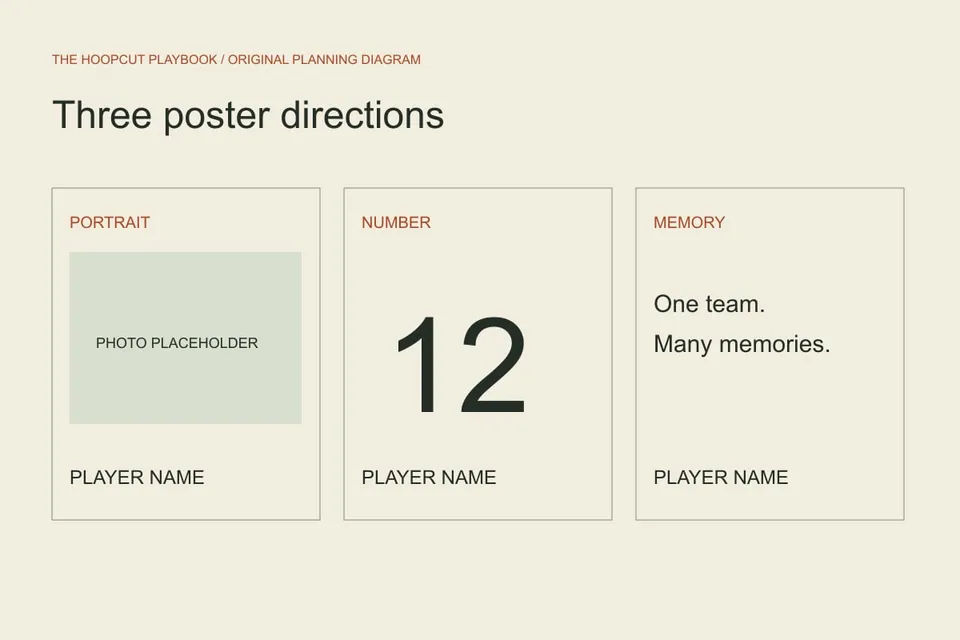
Start a basketball senior night poster with the player’s name, jersey number and one clear visual focus. The most useful layout is one a family can recognize quickly in a busy gym entrance. These three original concepts separate a portrait-led poster, a number-led poster and a memory-led poster. Use the editable template to try the hierarchy before arranging photos or committing to a print size.
A PRACTICAL STARTING POINT
Portrait-led: one photo, one name, one season
Give an approved portrait most of the page and place the name in a consistent band that does not cover the face.
Number-led: let the jersey number carry the display
A large number can provide a clear focal point when you do not have a suitable portrait.
Memory-led: make a short message specific
Use a single sentence about a shared moment, then pair it with the player’s name and one simple visual element.
Portrait-led: one photo, one name, one season
Give an approved portrait most of the page and place the name in a consistent band that does not cover the face. Keep the number and graduating class secondary. A single strong image is easier to check for cropping than a dense collage. Print a small draft and look at it from several steps away; if the name competes with four slogans, remove a slogan. Our illustrated concepts use a clearly marked photo placeholder. They do not contain a real athlete’s portrait, and the template does not generate one.
Number-led: let the jersey number carry the display
A large number can provide a clear focal point when you do not have a suitable portrait. Put the verified player name next to it and use team colors as accents rather than as the only way to distinguish text. Check contrast before printing, especially when the team uses two dark colors. Avoid copying a professional team’s marks into a school display without permission. The supplied graphic uses original linework and editable text. Its example player and school are fictional and should be replaced before use.
Memory-led: make a short message specific
Use a single sentence about a shared moment, then pair it with the player’s name and one simple visual element. Ask teammates for a concrete memory instead of a list of generic compliments. Check the wording with the player or organizer before putting an inside joke in public. If several seniors share a display wall, give each poster similar space and readable name sizing. A memory-led design can be personal without becoming a long biography that visitors cannot read while walking through the entrance.
Set the hierarchy before adding decoration
Read the design in this order: player, number, event, optional short message. If a viewer needs to search for the name, enlarge it or reduce competing elements. Leave a quiet area around each text block. The downloadable SVG remains editable, while the PNG export is a flattened image for convenience. Neither supplies a commercial printer’s bleed specification. Confirm the required dimensions and margins with your print provider, then check a proof at the final intended scale. Do not assume a screen preview guarantees print readability.
Connect the poster to the rest of senior night
Keep spelling, number and class year consistent with the table card and program. Make one verified roster the source for all three instead of retyping names from memory. If you want to include a video, choose a small number of approved game clips and give visitors a clear way to access them. A poster does not need a QR code to work; only add one after you have a stable destination and have tested it. This page supplies a poster design tool, not a QR generator or a hosted player profile.
Proof the details with someone who did not design it
Ask another organizer to check the name, number, class year and message against the roster. Then check image permission, face cropping and whether the display location is approved. Keep the original editable file in case a detail changes. The wider senior-night guide covers the event itself; this page focuses on the printed visual. Hoopcut’s role is the basketball footage portion if you choose a tribute clip. The poster resource is a separate free browser template, not an app feature or a claim about automatic graphic creation.
Next steps for your basketball footage
ILLUSTRATED WALKTHROUGH · 9 SECONDS
See the planning approach
Read the walkthrough transcript
- Portrait-led: one photo, one name, one season
- Number-led: let the jersey number carry the display
- Memory-led: make a short message specific
Before you begin
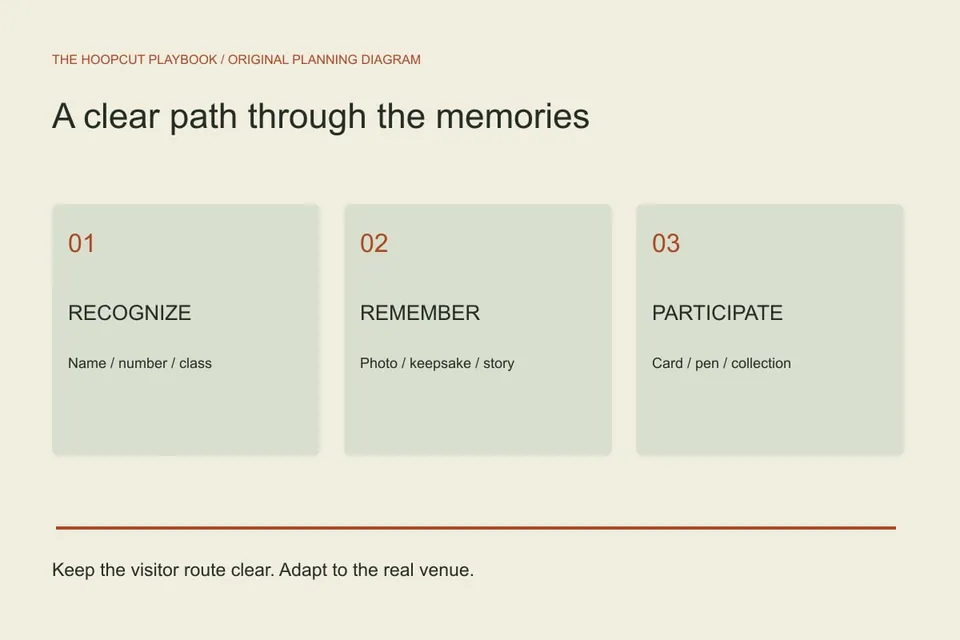
- Verify names, jersey numbers and class year.
- Choose portrait, number or memory as the primary visual.
- Check contrast and the final print proof.
- Keep the layout consistent with the program and table cards.
Choose a poster layout
| Check | What to look for |
|---|---|
| Portrait-led | Best when you have an approved photo with room for a clear text band. |
| Number-led | Useful when the number is recognizable and a portrait is unavailable. |
| Memory-led | Use a short, specific message that the player is comfortable sharing. |
Practical questions
Do I need a player photo?
No. A number-led design with an accurate name can work well. The template intentionally works without uploading a portrait.
Can I print the downloaded poster?
Yes, after checking the required output size with your printer. The SVG is scalable; test readability and margins before producing the full set.
Sources and further reading
Editorial guide by Hoopcut at SWINK AI INC. Prepared examples and illustrations are labeled. External product information is not a claim of hands-on comparative testing. Send a correction or a workflow question.