 HoopCut
HOOPCUT / BASKETBALL VIDEO TOOLS
Types of basketball shots: show the play with a tracer
Show a jumper, layup or free throw through your own recording. Add a trail to the ball's flight while keeping the action visible. Your original footage explains the play; HoopCut supplies the visual effect.
Keep the approach and release in your practice clip. The tracer illustrates the ball's flight without identifying the shot type or evaluating technique.
Trace a shot from your basketball recording
or drop your video here
MP4, MOV, WebM · Max 512 MBBest with a steady camera, a visible ball and hoop. Your video is processed on our server. Access expires after 24 hours; expired files are removed during scheduled cleanup, which may be delayed. Privacy policy.
Your shot, traced.
Choose up to 30 seconds
Tracer effects
Tap to previewYour download has started.
SEE IT IN ACTION
Preview a basketball shot with a tracer
FROM CLIP TO HIGHLIGHT
Choose, trace and save your shot example
 01
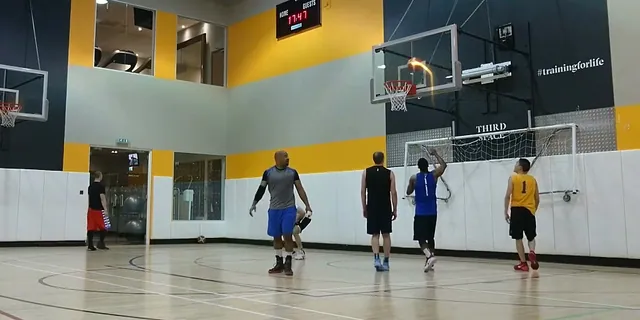
Pick one shot example
Upload your own recording with the approach, release and basket visible.
 02
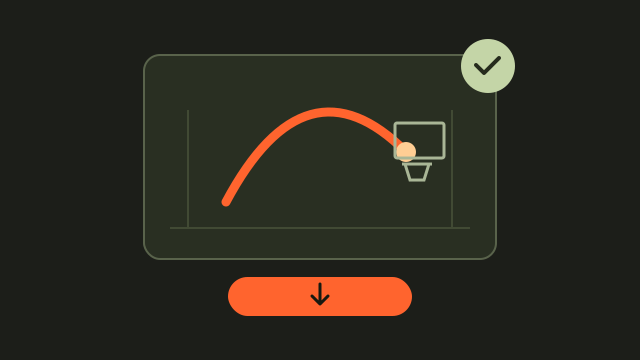
Preview its ball trail
Choose up to 30 seconds, mark the hoop and review the effect.
 03
Keep both versions
Export Firework free and store it beside the unedited shot.
Describe types of basketball shots using visible details
Choose a simple description that matches your recording, such as a jumper, layup or free throw. Keep the beginning of the action visible so viewers can understand the label without guessing from the final frame.
Avoid labels the clip cannot support
If the recording hides the approach or release, use a broader description. A short excerpt may not show enough to explain the entire play.
Compare your shot example with its traced version
Select up to 30 seconds with the ball and hoop visible. After marking the hoop, watch the preview alongside your memory of the unedited recording. Check that the trail follows the visible flight.
Treat the trail as an illustration
The effect draws attention to movement. It does not provide a shot classification, shooting score or an assessment of your form.
Organize different shot clips for later viewing
Save each original and traced copy together. Include a descriptive filename, recording date and source timestamp so you can find the practice moment again.
Use one clear example at a time
A focused clip is easier to explain than several unrelated attempts. Leave enough time after the release to show what actually happened.
See the shared basketball tracer demonstration
Basketball shot types and tracer questions
Does HoopCut recognize types of basketball shots?
No. You choose the description yourself. This page adds a visual ball trail rather than automatically classifying the shot.
Can I use a layup or free-throw clip?
Choose a recording where the ball and hoop remain visible, then inspect the preview. The result depends on the footage and the selected range.
Will the tracer tell me whether my technique is correct?
No. The trail is a visual effect, not a coaching assessment, technique score or measurement of shooting performance.
Can I save a traced shot example free?
Yes. Export the Firework effect from the browser workflow. Keep the original recording so you can also show the play without effects.
YOUR NEXT SHOT
Try more basketball tracer styles
Compare the previews here or open HoopCut to explore more effects for your recordings.
Keep working on your basketball video
Browse all shot tracer workflows