 HoopCut
HOOPCUT / BASKETBALL VIDEO TOOLS
NBA scout guide: add a tracer to your basketball video
Exploring what an NBA scout does while preparing your basketball footage? Start with a clear recording and useful context. This guide pairs official scouting information with a practical video-editing step: adding a shot tracer to a short copy of your own basketball clip.
Keep the original recording, choose one visible shot and preview its ball trail. Export a Firework highlight free, or compare the other effects before continuing in the HoopCut app.
HoopCut is independent of the NBA and HomeCourt.
Add a shot tracer to a basketball highlight
or drop your video here
MP4, MOV, WebM · Max 512 MBBest with a steady camera, a visible ball and hoop. Your video is processed on our server. Access expires after 24 hours; expired files are removed during scheduled cleanup, which may be delayed. Privacy policy.
Your shot, traced.
Choose up to 30 seconds
Tracer effects
Tap to previewYour download has started.
SEE IT IN ACTION
Preview the effect on a basketball clip
FROM CLIP TO HIGHLIGHT
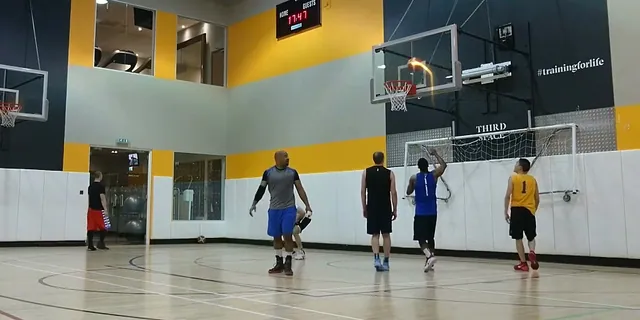
Prepare and trace your basketball footage
 01
Choose your basketball clip
Upload your own clip while retaining its original recording and context.
 02
Preview the shot tracer
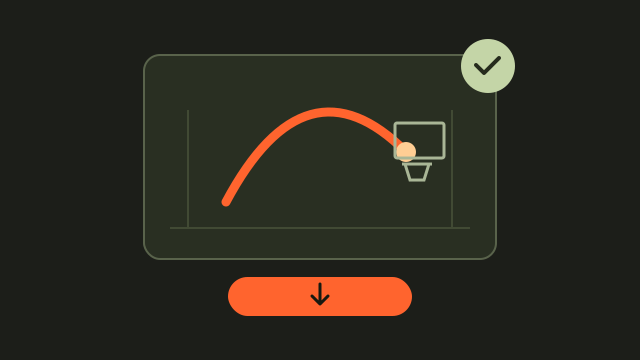
Select up to 30 seconds and compare the visible ball with the trail.
 03
Save a traced highlight
Save Firework free and keep the traced version separate from the original.
Find official NBA scout and program information
Start with the source that matches your question. The linked Washington Wizards article offers an account of scouting work, while HomeCourt describes its NBA Global Scout program on a separate official page. For a specific opportunity, check the provider's current dates, eligibility and submission instructions. Keep those details with your footage so you can follow the requirements of the opportunity you actually choose.
Organize your basketball footage before editing
Save the unedited recording alongside any short version you make. Note the recording date, the player shown and the excerpt's position in the original. Use descriptive filenames so a practice shot, game sequence and edited highlight remain easy to tell apart. Keep a short note about the session with the files, adding only details you can verify.
Identify the player and original sequence
Use a consistent player name or identifier across your files. Note the source timestamp so you can quickly locate the possessions surrounding an edited shot.
- Keep the original file with a descriptive name and recording date.
- Record the excerpt's start and end time so you can find the full sequence.
- Label the exported version as edited and retain a version without the tracer.
Create a basketball shot tracer highlight
Choose a shot from your own footage with the ball and hoop visible. Preview a range of up to 30 seconds, including the release and finish. Watch the trail through the middle of the flight, where the ball can blend into a busy background. Export Firework free once you are happy with the result, and save the edited copy beside the original recording.
Label your traced copy for sharing
Give the edited file a clear name, such as a session date followed by shot-tracer. Keep the same source identifier on both versions so they remain easy to match.
Basketball video tracer examples
NBA scouts and basketball video questions
What does an NBA scout do?
An NBA scout evaluates players using game observation, video and background research. The linked Wizards article describes this work.
Does HoopCut submit or evaluate my video for scouting?
No. HoopCut adds a visual tracer; it does not contact scouts, submit to programs or assess a player's ability.
What details should I save with a clip?
Keep the recording date, player identifier and start and end times within the source video. Use the original file to check any details you add.
Should I keep a copy without effects?
Yes. Keeping the original makes it possible to view the recording without the added trail and recover the surrounding sequence.
What can I try on this page?
Upload your own basketball footage, choose up to 30 seconds and export Firework free. Other styles are previews here, with an app link for more effects.
Sources & further reading
YOUR NEXT SHOT
Explore more basketball tracer effects
Export a short Firework clip free, or preview the other styles and open the HoopCut app to unlock more effects.
Keep working on your basketball video
Browse all shot tracer workflows