 HoopCut
HOOPCUT / BASKETBALL VIDEO TOOLS
Interactive basketball: try a shot tracer on your video
Interactive basketball can mean an activity with on-screen feedback, a friendly challenge or a video you adjust after practice. Decide which experience you want, record the relevant action and keep the result. Here, you can interact with your own basketball footage by selecting a shot range and previewing tracer effects.
Choose a visible attempt, compare the available styles and export Firework free on a clip of up to 30 seconds. Keep the original activity and its score separate from the edited copy.
Try an interactive shot tracer preview
or drop your video here
MP4, MOV, WebM · Max 512 MBBest with a steady camera, a visible ball and hoop. Your video is processed on our server. Access expires after 24 hours; expired files are removed during scheduled cleanup, which may be delayed. Privacy policy.
Your shot, traced.
Choose up to 30 seconds
Tracer effects
Tap to previewYour download has started.
SEE IT IN ACTION
See the effect you can preview
FROM CLIP TO HIGHLIGHT
From an activity recording to a visible shot trail
 01
Select an activity recording
Upload a saved basketball video and keep its original context.
 02
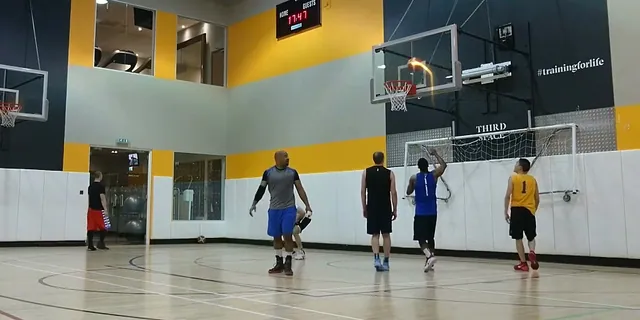
Compare the tracer previews
Choose up to 30 seconds and inspect the visible trail.
 03
Save a short highlight
Export Firework free and share the edited copy with accurate context.
Choose the kind of interactive basketball experience
Start by naming what changes in response to the player. A training activity may provide on-screen prompts or a record of performance; a friendly challenge may use rules agreed before play. HomeCourt describes interactive workouts and virtual competitions on its official site. The interaction on this page happens after recording: you select an excerpt, preview a ball-trail style and decide whether to save the edit.
Agree on the activity before recording
Write down the task, time limit and how participants will record the result. If you are using an app, follow its current activity instructions. For a session with friends, use the same rules for everyone and keep those notes with the full recording.
Record enough action to understand the result
Keep the start and finish of the activity in the original file, even if you plan to share only a few seconds. Check a test recording for a visible basketball and hoop. Avoid moving the camera during the shot you want to trace.
- Save the complete recording and any activity notes.
- Find one attempt with a clear release and visible finish.
- Keep the excerpt’s start time so you can return to the full sequence.
Explore the visual effect on one selected shot
Upload your saved video and choose a range of up to 30 seconds. Confirm the hoop if prompted, then inspect the tracer against the visible ball. You can compare Firework, Cosmic, Ice Beam and Sunset previews. Firework is free to export here. The edited copy makes a shot easier to follow visually, while the original retains the activity and its surrounding context.
Use the preview to make an editing choice
Replay the result and check whether the trail stays with the intended ball. Choose a different range or recording if the effect is interrupted by an obstruction. Changing the style is a visual decision; it does not change a recorded score or establish that an attempt met challenge rules.
Basketball effect preview examples
Interactive basketball and video questions
Can I play an interactive basketball game on this page?
The interaction here is video editing: select an excerpt and preview tracer effects. It is not a live basketball game.
Does the tool connect to a training challenge?
Keep rules, scores and accounts in your activity service. Upload a saved video when you want an edited sharing copy.
What can I change in the preview?
Select the processed range and preview the listed effects. Follow the hoop-selection prompt when shown, then inspect the trail.
Can the exported clip prove a challenge result?
A short edit can omit attempts or the start. Keep the full recording and follow the organizer’s documentation requirements.
Is the interactive preview the same as a free export?
Firework is free to export. Cosmic, Ice Beam and Sunset are previews here, with an app link for more effects.
Sources & further reading
YOUR NEXT SHOT
Make the next shot easier to follow
Try the Firework export here, then continue in HoopCut when you want to explore more tracer effects.
Keep working on your basketball video
Browse all shot tracer workflows