 HoopCut
HOOPCUT / BASKETBALL VIDEO TOOLS
HomeCourt basketball training app: add a shot tracer to your video
Looking for the HomeCourt basketball training app? Learn how its training focus fits alongside your own practice recordings. When you have a clear basketball clip saved on your device, use HoopCut here to add a visible shot tracer and turn one attempt into a short video to share.
Choose up to 30 seconds from your footage, keep the release and hoop visible, and compare the traced result with the original. Export Firework free or preview more effects before opening the app.
HoopCut is independent of HomeCourt.
Add a shot tracer to your practice video
or drop your video here
MP4, MOV, WebM · Max 512 MBBest with a steady camera, a visible ball and hoop. Your video is processed on our server. Access expires after 24 hours; expired files are removed during scheduled cleanup, which may be delayed. Privacy policy.
Your shot, traced.
Choose up to 30 seconds
Tracer effects
Tap to previewYour download has started.
SEE IT IN ACTION
Preview the basketball shot tracer effect
FROM CLIP TO HIGHLIGHT
Turn a practice recording into a traced clip
 01
Choose a practice shot
Choose a basketball video already saved on your device.
 02
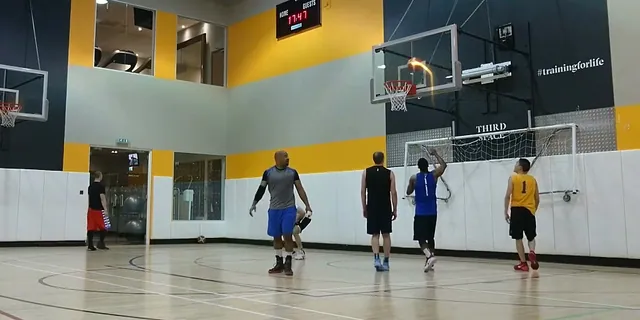
Preview the shot trail
Choose up to 30 seconds and check the trail against the ball.
 03
Save your traced attempt
Save the free effect, or open HoopCut for more effects.
What the HomeCourt basketball training app offers
HomeCourt describes camera-based shooting activities, ball-handling workouts and training feedback on its official website. Its setup guidance covers device positioning for different activities. Start with its official information when choosing a workout or checking membership and device requirements. Once you have a practice video saved on your device, the HoopCut tool here lets you add a visible trail to a selected basketball shot.
Prepare your practice footage for a shot tracer
Choose a saved video with the shooter, basketball and hoop visible. A steady camera and a clear view above the rim help you follow the entire flight. Leave a little footage before the release and after the finish. Keep the original recording alongside your edited copy so you can compare the visible ball with the added trail.
Choose one complete shooting attempt
Look for an attempt with an unobstructed flight. If another ball enters the frame, check that the preview follows the shot you intended to show.
- Choose one clear attempt or a short sequence from your own footage.
- Select up to 30 seconds, including the release and the finish.
- Review whether the tracer follows the visible basketball before saving.
Share a traced moment from basketball training
A ball trail makes the flight easier to follow when you share a practice clip. Choose one attempt with a clear release and finish, then watch the preview at the size friends will see on their phones. Use a different attempt if a player hides the ball. Export Firework free, or compare Cosmic, Ice Beam and Sunset previews before opening the app for more effects.
Keep your practice clip easy to identify
Save the edited video with the practice date or a short description. Keep the original nearby so you can find that attempt again when sharing your session.
More basketball tracer examples
HomeCourt training and basketball video questions
Where can I find HomeCourt setup instructions?
Follow the official HomeCourt website linked below for its current camera setup, device and workout information.
Does this tool connect to HomeCourt or track workout results?
No. HoopCut works with a recording you upload and adds a visual trail. HomeCourt integration, shooting statistics and coaching assessments are outside this workflow.
What footage should I choose?
Start with a steady recording that shows the release, full ball flight and hoop. Include a short lead-in and the result of the shot.
What can I export for free?
You can select up to 30 seconds and export the Firework effect free. Cosmic, Ice Beam and Sunset are previews here; more effects are available through the app.
Why does a trail look incomplete?
A moving camera, motion blur or another player hiding the ball can interrupt the trace. Try a clearer attempt and compare the preview with the source.
Sources & further reading
YOUR NEXT SHOT
Keep editing your basketball videos
Preview the available tracer styles here. Export Firework free on the web, or open the HoopCut app to unlock more effects.
Keep working on your basketball video
Browse all shot tracer workflows