 HoopCut
HOOPCUT / BASKETBALL VIDEO TOOLS
Basketball editor: give your shot a visible ball trail
Turn a saved basketball moment into a short traced highlight. Bring a recording with the ball and hoop visible, choose the play you want to show and preview its trajectory. This basketball editor focuses on adding Shot Tracer to footage you already have.
Keep the setup, release and finish together. Export Firework free, or compare other styles before opening HoopCut for more effects.
Add a shot tracer with the basketball editor
or drop your video here
MP4, MOV, WebM · Max 512 MBBest with a steady camera, a visible ball and hoop. Your video is processed on our server. Access expires after 24 hours; expired files are removed during scheduled cleanup, which may be delayed. Privacy policy.
Your shot, traced.
Choose up to 30 seconds
Tracer effects
Tap to previewYour download has started.
SEE IT IN ACTION
See the basketball shot tracer effect
FROM CLIP TO HIGHLIGHT
Edit one basketball shot in three steps
 01
Upload a saved basketball clip
Choose your own recording with the ball and hoop visible.
 02
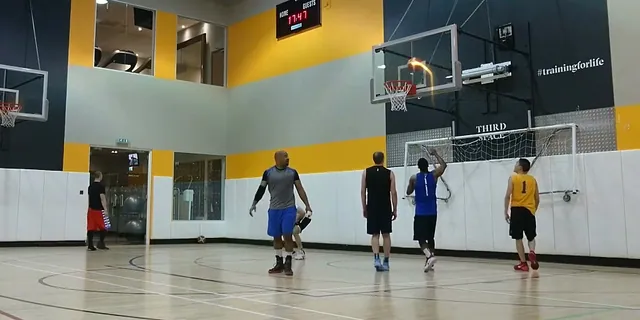
Select and preview the shot
Choose up to 30 seconds, mark the hoop and check the ball trail.
 03
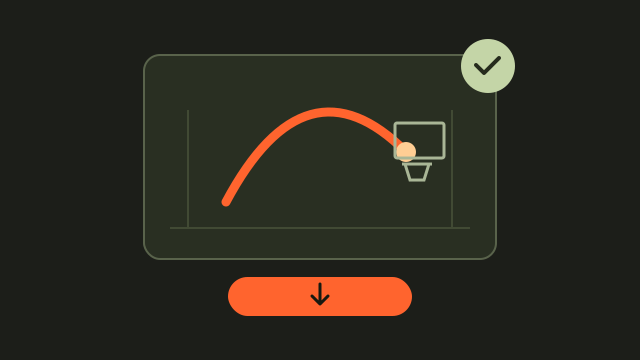
Save the traced edit
Export Firework free and retain the original recording.
Choose the basketball moment before adding effects
Start with a recording that shows one readable play. Leave enough time before the release to understand the setup and enough afterward to see the result. A very tight crop can hide the ball or basket.
Preserve the original recording
Keep the unedited file so you can return to the full sequence. Save your traced version with a different filename.
Check the shot tracer against the visible ball
Select a range of up to 30 seconds and mark the hoop in the uploader. Watch the preview through the complete flight, including moments when the ball crosses a busy background.
Review before downloading
If the trail looks wrong, adjust the selected clip or hoop position and preview again. Do not treat the effect as a shot measurement.
Keep your basketball edit focused on the play
Choose an effect that lets the action remain easy to follow. The browser workflow exports Firework free; the other styles can be previewed before continuing in the app.
Retain the surrounding context
Use an accurate filename or sharing caption. A tracer highlights the ball's movement without explaining the score or the full game situation.
Watch a basketball tracer example
Basketball editor questions
What does this basketball editor do?
It adds a visual shot tracer to your saved basketball recording. It does not generate new footage or assemble a multi-clip reel here.
How long can my selected highlight be?
Choose a range of up to 30 seconds. Include the release and finish so you can check the complete shot in the preview.
Which effect can I export free?
The shared browser uploader offers a free Firework export. Other styles are available to preview, with more effects accessible in the HoopCut app.
Can I keep a version without the tracer?
Yes. Retain your original file separately and save the downloaded edit alongside it with a clear, different name.
YOUR NEXT SHOT
Explore more basketball editing effects
Preview other tracer styles here, then open HoopCut to explore more effects for your basketball footage.
Keep working on your basketball video
Browse all shot tracer workflows