 HoopCut
HOOPCUT / BASKETBALL VIDEO TOOLS
Basketball apps & shot tracer for your videos
Choosing basketball apps starts with the job you want to finish. A guided workout, a team video review and a short highlight need different features. Use this checklist to choose your workflow, then try HoopCut on a saved basketball recording when you want to add a visible shot trail.
Bring one clear shot from your camera roll. Select up to 30 seconds, compare the tracer with the original ball flight and save a Firework clip for free.
Try a basketball video editing step
or drop your video here
MP4, MOV, WebM · Max 512 MBBest with a steady camera, a visible ball and hoop. Your video is processed on our server. Access expires after 24 hours; expired files are removed during scheduled cleanup, which may be delayed. Privacy policy.
Your shot, traced.
Choose up to 30 seconds
Tracer effects
Tap to previewYour download has started.
SEE IT IN ACTION
See what the shot tracer adds
FROM CLIP TO HIGHLIGHT
From a saved recording to a traced clip
 01
Choose a saved basketball clip
Start with one shot whose release and finish are visible.
 02
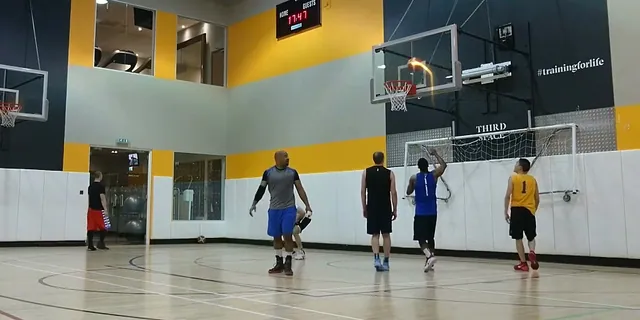
Check the tracer preview
Select up to 30 seconds and compare the trail with the ball.
 03
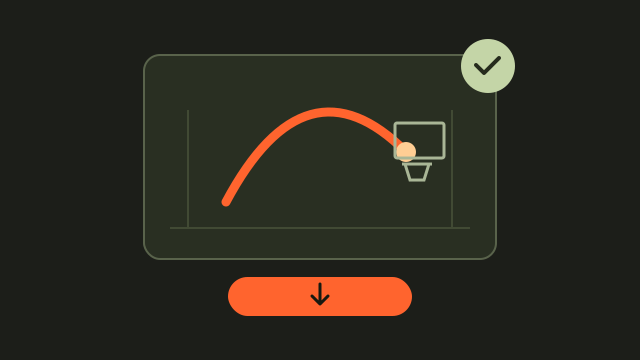
Save your sharing copy
Export Firework free and retain the original recording.
Match basketball apps to the task you need
Write down the result you need before comparing feature lists. For a practice session, that might be instructions and an activity record. For a coach, it might be a way to organize film. For sharing a shot with friends, it might be an edited video file. HomeCourt describes interactive training, while Hudl presents basketball video and analysis tools. HoopCut adds a separate editing step to footage you already have.
Start with the output, then check the features
Ask what you will have when you finish: a workout record, a private team discussion or a playable video. Check the current product documentation for that output. A tool that displays a preview may have different requirements for saving or sharing it.
Test the recording handoff before a full session
Use a short recording to check the path from camera to finished clip. Confirm that the file is actually saved on your device, opens correctly and shows the intended player. Keep the original when moving between tools. If a recording belongs inside another service, check that service’s export options first; a visible video in an app is not automatically an available file for upload.
- Record a short test with the basketball and hoop in view.
- Locate the saved file and play it before importing.
- Keep an original copy separate from any edited exports.
Use a shot tracer when the sharing goal fits
A tracer can make the ball flight easier to follow in a short basketball video. Choose an attempt with a clear release and finish, then inspect the middle of the flight for obstructions. The tool below processes a selected range of up to 30 seconds. Export Firework free; Cosmic, Ice Beam and Sunset can be previewed before continuing in the app for more effects.
Name the copy so it stays easy to find
Include the date and a simple shot label in the saved filename, then add a suffix such as traced. Share the edited version when you want the visual effect and retain the original for anyone who needs the surrounding action.
Basketball video editing examples
Questions about choosing basketball apps
Which basketball app should I choose first?
Choose the task first: a practice plan, a coach’s review or an edited clip. Test the required feature with a small sample.
Does this page rank all basketball apps?
It is a task-based checklist with a working shot tracer, not an exhaustive app ranking or a hands-on product comparison.
Can HoopCut import directly from another basketball app?
Upload a video already saved on your device. This workflow does not retrieve recordings from another app’s account.
Is the web export free?
Firework exports are free for a selected range of up to 30 seconds. Other styles are previews here.
Will the tracer also track my training statistics?
The tool adds a visible shot trail. Keep attempts, makes and other training results in a separate practice log.
Sources & further reading
YOUR NEXT SHOT
Keep your basketball video workflow moving
Try the Firework export here, then open HoopCut to explore more effects for your own basketball footage.
Keep working on your basketball video
Browse all shot tracer workflows