 HoopCut
HOOPCUT / BASKETBALL VIDEO TOOLS
Basketball analytics software guide: create a shot tracer highlight
Basketball analytics software is useful when a number can be traced back to the play it describes. Keep your attempt log and original footage together. For a separate sharing version, use HoopCut to add a shot tracer to a short basketball clip you already recorded.
Choose up to 30 seconds, preview the visible ball trail and export Firework free. Use the original recording for checking events; the tracer is a visual effect rather than a source of shooting statistics.
Create a tracer copy of a recorded shot
or drop your video here
MP4, MOV, WebM · Max 512 MBBest with a steady camera, a visible ball and hoop. Your video is processed on our server. Access expires after 24 hours; expired files are removed during scheduled cleanup, which may be delayed. Privacy policy.
Your shot, traced.
Choose up to 30 seconds
Tracer effects
Tap to previewYour download has started.
SEE IT IN ACTION
Preview a visual shot trail
FROM CLIP TO HIGHLIGHT
From a logged attempt to a sharing highlight
 01
Find the recorded attempt
Use its identifier and timestamp to locate the source.
 02
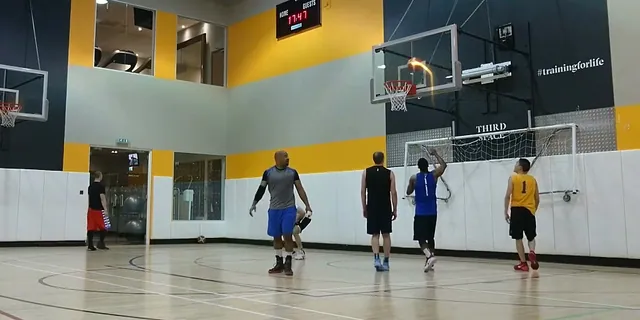
Preview a traced copy
Select a clear shot and inspect the visible ball trail.
 03
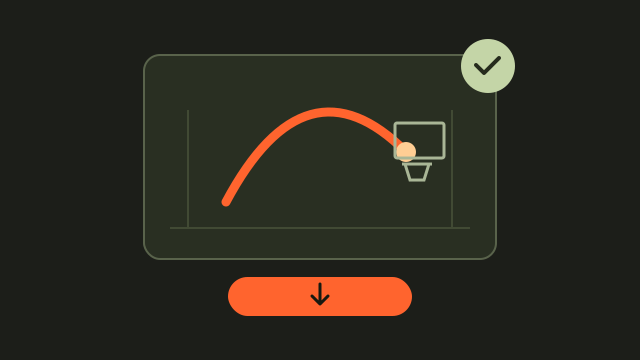
Save with the same ID
Export Firework while retaining the original and notes.
Define the question before choosing basketball analytics software
Start with the decision your data should support. You might want to review attempts from one location, find a particular possession or compare notes from two sessions. List the fields needed for that question, such as date, player, attempt result and source timestamp. Some products measure specific aspects of a shot: HomeCourt’s official analysis FAQ describes metrics such as release time and angle. Check the documented capabilities before choosing.
Keep your shot log connected to the source video
Give each attempt a stable identifier and use it in both the log and your clip filenames. Record makes and misses consistently, and preserve ambiguous attempts for later review. The basketball shot chart linked below is a separate browser tool for manual logging; use it when you want to record your own observations.
Compare like-for-like groups
Write down what a group includes before calculating a percentage. Ten attempts from one session and ten highlights selected from several sessions describe different samples. Keep the selection rule with the result so another reader can interpret it.
- Choose a small set of fields that you can record consistently.
- Add the source filename and timestamp to each attempt.
- Recheck uncertain entries against the original footage.
Make an edited highlight alongside the analysis record
Once you find an attempt worth sharing, import its footage and choose up to 30 seconds. Keep enough of the play to recognize the shooter and the result. Preview the shot tracer, export Firework and retain the same attempt identifier on the edited file. That lets viewers return to the source recording when they need more context.
Keep the overlay separate from the measurement
Check counts, locations or timing against the footage and your chosen data tool. Save the tracer version as an edited copy for presentation, with any statistics taken from the record you actually verified.
Explore a basketball shot tracer example
Basketball analytics and video questions
Does HoopCut calculate basketball statistics on this page?
No. This tool adds a visual ball trail to a clip. Keep statistics in your chosen analytics product or manual shot log.
Can a bright trajectory show my exact release angle?
A displayed effect is not a calibrated angle measurement. Use documented measurement software when you need that metric.
What should I include in a simple attempt log?
Date, player, a consistent attempt identifier, result, source filename and timestamp give you a practical starting point for locating and checking the footage.
How do I connect a highlight to my notes?
Use the same attempt identifier in the source log, original clip and traced export. Add the effect name to the edited version.
What can I try for free here?
Upload your own footage, choose up to 30 seconds and export Firework. Review the result separately from any statistical assessment.
Sources & further reading
YOUR NEXT SHOT
Turn a recorded attempt into a sharing clip
Export a short Firework clip free here. Preview Cosmic, Ice Beam and Sunset, then open the HoopCut app for more tracer effects.
Keep working on your basketball video
Browse all shot tracer workflows