 HoopCut
HOOPCUT / BASKETBALL VIDEO TOOLS
Basketball AI: try a shot tracer on your own video
Basketball AI can describe several different tasks, from training feedback to video editing. Start by identifying the output you need. Here, you can try one concrete editing task: add a visible trail to the ball in a short recording, inspect the result and save a traced copy.
Use your own footage to judge the effect. Select up to 30 seconds, compare the trace with the visible ball and export Firework free when the result fits your clip.
Test the shot tracer with a real basketball clip
or drop your video here
MP4, MOV, WebM · Max 512 MBBest with a steady camera, a visible ball and hoop. Your video is processed on our server. Access expires after 24 hours; expired files are removed during scheduled cleanup, which may be delayed. Privacy policy.
Your shot, traced.
Choose up to 30 seconds
Tracer effects
Tap to previewYour download has started.
SEE IT IN ACTION
See the visual output before uploading
FROM CLIP TO HIGHLIGHT
Check the input, preview and exported result
 01
Choose a clear input
Upload your own video with the ball and basket visible.
 02
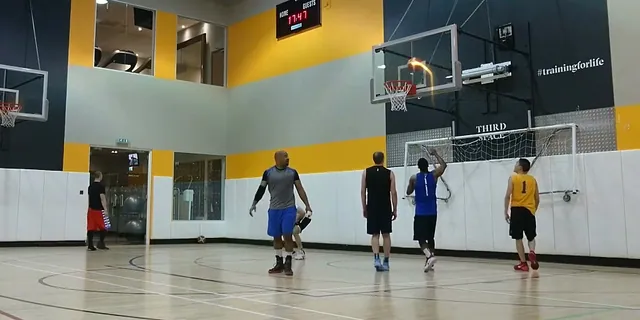
Inspect the generated trail
Preview a range of up to 30 seconds and check it against the recording.
 03
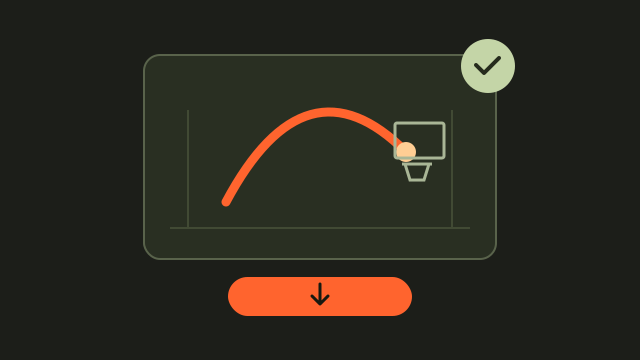
Save the effect you reviewed
Export Firework free and retain the source for comparison.
Define what the basketball AI tool should return
An AI label does not tell you whether a product returns a video file, an activity record or a performance estimate. Write down the result you actually need and check the product’s description against it. For example, HomeCourt describes camera-based training feedback. The HoopCut workspace here returns a visual shot-tracer preview and offers a Firework video export. Those are different outputs with different uses.
Inspect the output instead of assuming accuracy
For a video effect, compare the edited frames with the original ball flight. A trail drawn on screen is not a calibrated measurement of speed, distance or shooting quality. Keep any interpretation separate from what is directly visible in the recording.
Give the shot tracer footage you can inspect
Start with a steady recording where the ball does not disappear behind a player or outside the frame. Include enough of the release and finish to understand the shot. If the selected range contains several attempts or several balls, choose a simpler excerpt first.
- Play the source video and identify one clearly visible attempt.
- Select a range that retains the ball flight and basket.
- Choose the intended hoop if the tool asks you to confirm it.
Review the trace before saving the edited video
Watch the beginning, middle and end of the traced flight. Pause if the trail appears to jump away from the visible ball, then compare that moment with the source recording. A blocked or blurred ball may call for a different attempt. You can change the selected range and preview again. Save the result only when you are comfortable presenting it as an edited copy.
Keep a simple record of what changed
When comparing attempts, note the source filename, selected time range and chosen effect. That is enough to reproduce your editing choices later. Do not label a successful-looking preview as a measured accuracy score or use it as proof that every clip will work.
Examples of the ball-trail effect
Basketball AI and shot tracer questions
Does basketball AI always mean performance analysis?
The phrase covers different outputs. Decide whether you need training feedback, video organization or a visual editing effect.
Does this tool generate a basketball game from text?
This workflow adds a shot trail to footage you upload. It does not generate new basketball games from text.
What should I do if the trail looks wrong?
Compare the original, choose a clearer attempt or adjust the range. Avoid presenting an uncertain trace as precise measurement.
Can I try different visual styles?
Preview Firework, Cosmic, Ice Beam and Sunset. Firework exports are free here; open the app for more effects.
Will uploading a clip give me a shooting grade?
The output is a visual editing result. It does not grade a player, measure shooting mechanics or provide coaching assessment.
Sources & further reading
YOUR NEXT SHOT
Explore the effect on your own footage
Try a short Firework export on the web, then open HoopCut to continue working with more tracer effects.
Keep working on your basketball video
Browse all shot tracer workflows