Sharing and team stories
Basketball Banquet Ideas: Awards, Tables & a Season Recap
Plan a basketball banquet with team recognition ideas, simple centerpieces, an editable agenda and a practical season-recap video checklist.
 THE HOOPCUT PLAYBOOK
A basketball banquet works best when the people in the room recognize their season in the program. Give the evening one clear purpose: thank the group, recognize contributions and leave families with a shared memory. These basketball banquet ideas include table displays, award prompts, a sample agenda and a video plan you can adapt without turning the event into a large production.
ONE EVENING. THREE THINGS TO GET RIGHT.
Recognize
Give the whole roster a clear, specific moment.
Remember
Build a short recap around the season’s real stories.
Celebrate
Leave room for conversation, thanks and a final photo.
Choose a format around the team, not the decorations
Decide who is attending, where they will sit, and whether the event is a meal, a short recognition gathering or part of another school activity. Ask the coach which moments need to be in the program before you buy décor or promise speaking slots. MBX Foundation’s banquet guide emphasizes early coordination, attendance, budget and audiovisual requirements; its local school rules are not universal requirements. The schedule, display concepts and recognition prompts here are our own suggestions. Adapt them to your organization rather than copying another program’s rules.
Build a simple program with a clear beginning and end
Give families an arrival window with a welcome display, open with a brief thank-you, leave room for food or conversation, then move into team recognition. Put a short recap video at a point when people can see and hear it, rather than behind a crowded buffet queue. Close with final thanks and a group photo if the venue allows. For a small team, a proposed 75-minute program could include 10 minutes of arrival, 20 for food, 25 for recognition, five for a recap and 15 for closing and photos. Those are planning allocations, not a recommended limit for every team.
Put this into practice: Basketball banquet award certificate.
Basketball award ideas that recognize specific contributions
Make each recognition about an observable contribution rather than a joke label or a popularity contest. Options include a consistent practice partner, encouragement from the bench, help welcoming a new teammate, improvement in a defined habit, and support with equipment or organization. Ask coaches to verify basketball-specific claims before announcing them. If the program has competitive awards such as most valuable player, keep that selection process separate from informal thank-yous. Do not invent a statistic or turn every athlete into a ranked comparison just to fill a slide.
Give the whole roster a moment in the program
Prepare a roster check before the event and confirm who is attending. Keep remarks consistent enough that one player’s recognition does not consume another person’s slot. A short, specific memory can be more meaningful than a long list of adjectives. Include coaches, assistants, managers and volunteers where appropriate to the team. If seniors are being recognized, distinguish their farewell from the broader season celebration. A banquet may include a senior tribute, but it is not the same event as an introduction before the final home game.
Basketball banquet centerpiece ideas using what you have
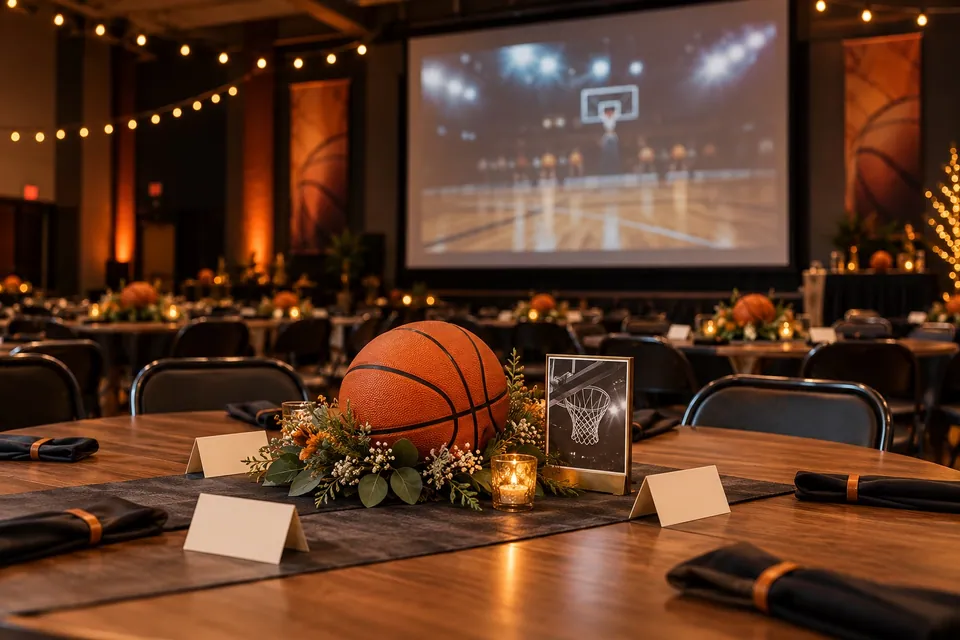
Try an existing team photo on a small stand, a tabletop card with a favorite team memory, or a paper jersey-number display made from the roster. A low bowl or basket of note cards can invite families to write a thank-you without requiring expensive favors. Use team colors sparingly so names and photos remain readable. Keep centerpieces below sightlines to the screen and check that nothing blocks plates, walkways or venue equipment. If you use a QR code for approved photos, test its destination and keep a readable alternative for people who do not scan it.
Plan the recap video as a story, not a scoring leaderboard
Choose a few distinct ideas: the team arriving, a representative game sequence, a contribution away from the ball, support from the bench and a closing team moment. Ask what the room should remember rather than how many baskets you can fit. Use a shortlist to avoid repeated clips of the same athlete. Check identities, dates and any captions. The working video sheet below is a proposed editorial outline, not a claim about the team’s actual season. Keep original recordings and permission records separate from the finished event file.
See a short basketball highlight sequence
Rehearse the file on the event equipment
Save a local copy of the final video and test it on the actual laptop, screen and speakers when access is available. Check whether the room can hear spoken thanks and whether names are readable from the back. Have a still-image or spoken alternative if playback fails, and assign one person to run the file. Confirm any music or other third-party assets are appropriate for your intended use rather than assuming a social-media audio option also covers event playback. This guide does not supply licensed music or promise that a platform’s terms apply elsewhere.
Use game clips for the part Hoopcut can help with
Hoopcut’s natural role is basketball auto clipping and Shot Tracer, not planning meals, creating awards or automatically building a banquet slideshow. Use it for the basketball footage portion where the current app supports your workflow, then assemble the rest with the tools your team already uses. The auto clipping demo shows a prepared shortlist experience. If you choose a traced shot, make sure the effect helps the audience follow the ball and does not obscure the athlete or basket. A clear, inclusive recap matters more than adding an effect to every possession.
Download the planning sheet
Editable CSV files open in common spreadsheet apps. Example timings and blank rows are planning aids, not measured event results.
Next steps for your basketball footage
Before you finish
- Confirm the headcount, venue plan and program owner.
- Verify the roster, name pronunciations and recognition list.
- Keep table displays low enough to preserve screen sightlines.
- Test the final video and an offline backup on event equipment.
- Give the program a closing cue and a plan for photos.
A season-recap video planning sheet
| Sequence | What to gather and verify |
|---|---|
| Opening identity | Team and season names, with an approved team image. |
| The work | A practice or preparation moment that fits the actual season. |
| Game action | A small set of complete, readable possessions with verified players. |
| Team contribution | Bench support, an assist, defense or another meaningful team moment. |
| Closing thanks | Accurate credits and a final approved group memory. |
Practical questions
What can we do for a low-budget basketball banquet?
Begin with the program and use existing approved team photos, printed name cards and specific thank-yous. Reuse available equipment where permitted and confirm venue costs before committing. The ideas here do not depend on buying a decoration package.
How long should the recap video be?
There is no single duration for every banquet. Choose a slot in the event agenda, include only distinct moments and test the draft with someone who did not edit it. Reduce repetition before cutting the context needed to identify a play.
Should every player receive the same award?
That is a team decision. Whatever recognition format you use, verify names and contributions and make the program understandable to the whole roster. Avoid embarrassing labels or fabricated achievements.
How is a banquet different from senior night?
The banquet is an end-of-season team gathering in this guide; senior night typically centers on recognizing departing players at a game or dedicated event. You can share material between them, but the timing and audience needs are different.
Sources and further reading
Editorial guide by Hoopcut at SWINK AI INC. Prepared examples and illustrations are labeled. External product information is not a claim of hands-on comparative testing. Send a correction or a workflow question.