
STEP 01
Choose a realistic cadence
Plan only the posts someone can prepare and review. Leave a day blank if the team has no useful update. The sample week is an organizational aid, not evidence about social algorithms or guaranteed engagement.
STEP 02
Assign one accountable owner
The person gathering a clip may differ from the person approving the post. Name the owner and the review state so work does not disappear between a group chat and the posting account.
STEP 03
Keep the schedule adjustable
Check game times and player details near publication. If plans change, update the calendar rather than posting an outdated draft. Use separate rows when one asset serves different purposes on different days.
Read the example
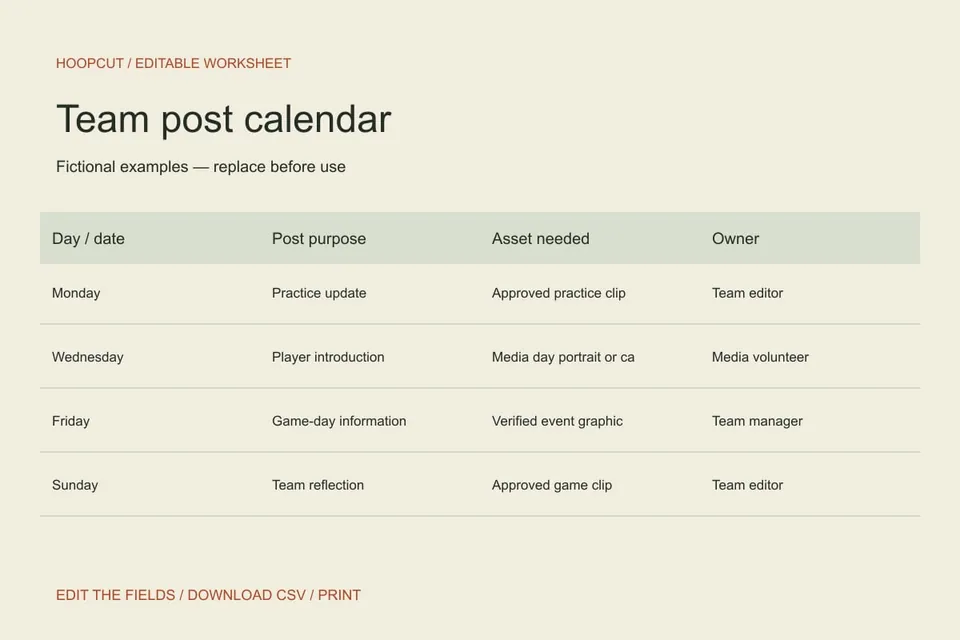
The fictional week alternates a practice update, player introduction, game information and reflection. Remove any row that does not match your real team’s plans.
ILLUSTRATED WALKTHROUGH · 9 SECONDS
Team post calendar
Read the walkthrough transcript
- Plan useful updates
- Assign an owner and review
- Export the working calendar
Practical questions
Will the page publish the posts?
No. It does not connect to social accounts. Download the plan and use your normal review and posting process.
How often should a team post?
Use the team’s capacity and the audience’s information needs. This resource does not claim one frequency is best for every team.
Are these additional Hoopcut app features?
These are free browser planning and design resources. Hoopcut’s app focuses on basketball auto clipping and Shot Tracer. The editor does not upload video or publish to a social account.