
STEP 01
Describe the moment first
Write one factual sentence about the clip before choosing a joke or slogan. If the caption claims a winner, record or comeback, verify it against the actual game rather than inferring it from the selected shot.
STEP 02
Choose a fitting voice
Use short, funny or reflective wording to suit the player and moment. An inside joke should still make sense to the person featured. Borrow a starter from the caption library, then add a detail that belongs to this clip.
STEP 03
Check credit and approval
Note the people and material that need acknowledgement. Set a clear review status so a draft does not get mistaken for an approved post. This sheet does not publish or connect to a social account.
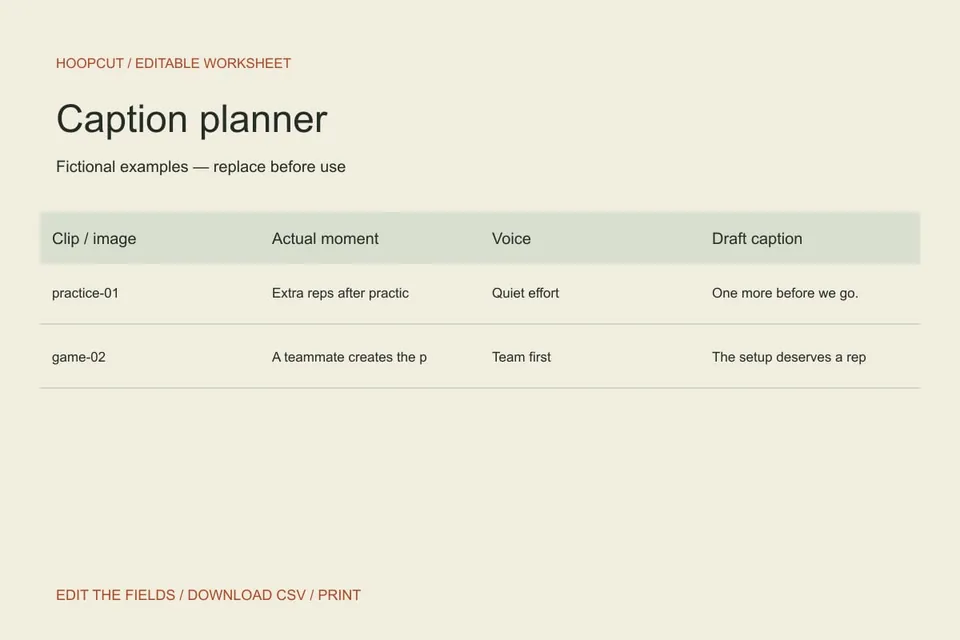
Read the example
The two fictional entries use different voices because a quiet practice moment and a team-created play tell different stories. Neither is a claim about an actual Hoopcut user.
ILLUSTRATED WALKTHROUGH · 9 SECONDS
Caption planner
Read the walkthrough transcript
- Describe the visible moment
- Write a matching line
- Mark the review status
Practical questions
Does this generate captions automatically?
No. It is an editable planning sheet. The linked caption library provides original starting ideas.
Can I use the same caption for every post?
You can, but a specific line is usually more useful to the audience. Match the text to what is visible in each clip.
Are these additional Hoopcut app features?
These are free browser planning and design resources. Hoopcut’s app focuses on basketball auto clipping and Shot Tracer. The editor does not upload video or publish to a social account.