
STEP 01
Confirm identity early
Find a visible number or another reliable link before the action. Similar jerseys and camera movement can make identification uncertain. Mark that uncertainty instead of making an attractive but unsupported selection.
STEP 02
Describe only what is visible
Write a plain observation such as catch, dribble or pass. Do not infer a statistic from a clip that starts too late or ends before the result. Keep the complete source for a second look.
STEP 03
Decide what belongs
Separate a confirmed keeper from a clip held for review. The final selection should show distinct contributions and enough context, rather than repeating the same action to fill time.
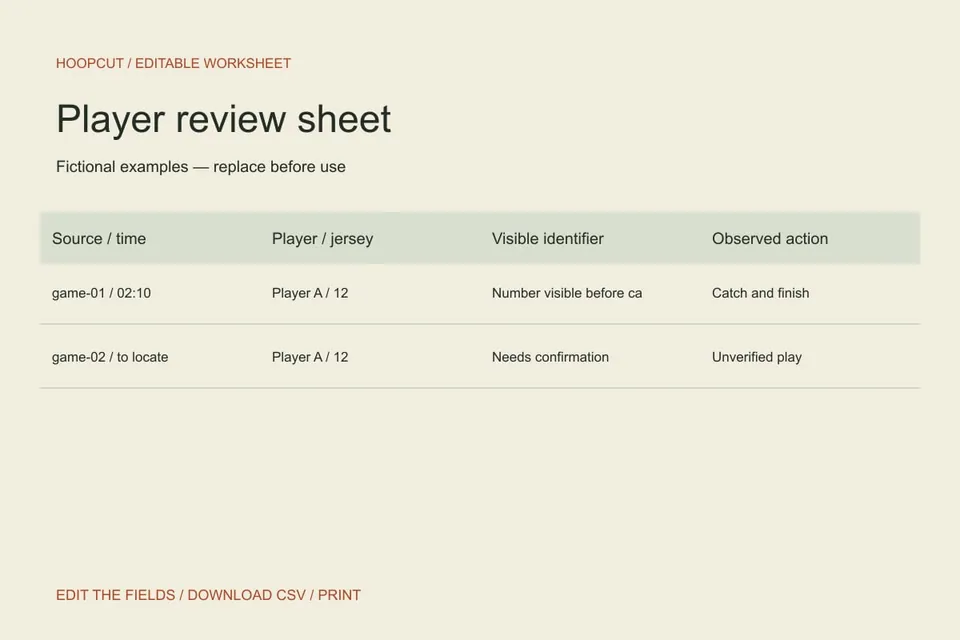
Read the example
The second example is held because the player and result are unconfirmed. Leaving it out of the current shortlist protects the accuracy of the reel until the original file is checked.
ILLUSTRATED WALKTHROUGH · 9 SECONDS
Player review sheet
Read the walkthrough transcript
- Confirm the player
- Describe the visible action
- Keep or hold for review
Practical questions
Does Hoopcut verify the observations in this sheet?
No. These are user-entered review notes. Confirm identities and claims from your recordings.
Can two players share one row?
For this single-player workflow, use separate rows or note the relationship clearly. Do not attribute another player’s action to the featured athlete.
Are these additional Hoopcut app features?
These are free browser planning and design resources. Hoopcut’s app focuses on basketball auto clipping and Shot Tracer. The editor does not upload video or publish to a social account.