
STEP 01
Begin with identity and a sound check
Record a short answer and replay it before continuing. Confirm the name and jersey number against the roster. The interviewer should know who will review the material and where it is intended to appear.
STEP 02
Ask for a specific example
A follow-up often produces a clearer answer than asking several new questions. Leave a pause and let the player respond in their own words. Do not write an answer for them and present it as spontaneous.
STEP 03
Keep a useful edit note
Note which response is usable and any sharing restriction. Keep the question with the source file so an editor understands the answer. An interview clip should not be edited into a different claim.
Read the example
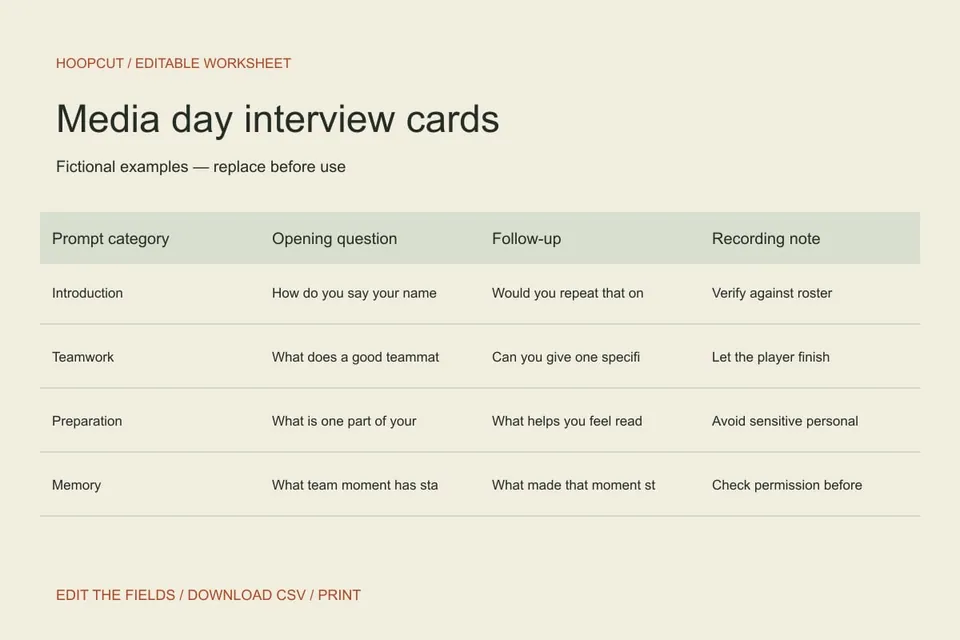
The teamwork prompt asks for a practical example rather than a ranked judgment about teammates. The cards contain questions only; no response is claimed to come from a real athlete.
ILLUSTRATED WALKTHROUGH · 9 SECONDS
Media day interview cards
Read the walkthrough transcript
- Start with a clear question
- Prepare one follow-up
- Print the interview cards
Practical questions
Can I print separate cards?
Yes. The print view presents each edited row as a prompt card. You can also download the data as CSV.
Does Hoopcut record or transcribe the interview?
This page is a planning tool. It does not record audio, transcribe answers or add an interview feature to the app.
Are these additional Hoopcut app features?
These are free browser planning and design resources. Hoopcut’s app focuses on basketball auto clipping and Shot Tracer. The editor does not upload video or publish to a social account.
Source notes
The template, example data and workflow are original editorial resources. Local organization rules in a source are not universal requirements.